The upcoming WordPress 7.2 update is set to transform the user experience with significant improvements to the block editor, design capabilities, and site management. Dubai Web reports that the beta version is currently available for testing, providing a glimpse into a major release scheduled for December 8, 2026.
This release marks a shift toward more intuitive editorial workflows and powerful design tools that do not require custom coding. Whether you are a developer or a casual blogger, the changes in 7.2 aim to streamline how websites are built and maintained. If you are looking to upgrade your online presence, professional Dubai Web Design can help you navigate these new features effectively. For information about our services, visit Web Design in Dubai.
A New Era of Editorial Collaboration: Notes in the Margin
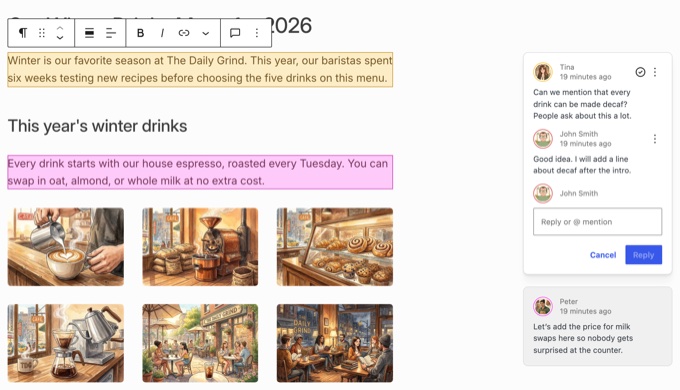
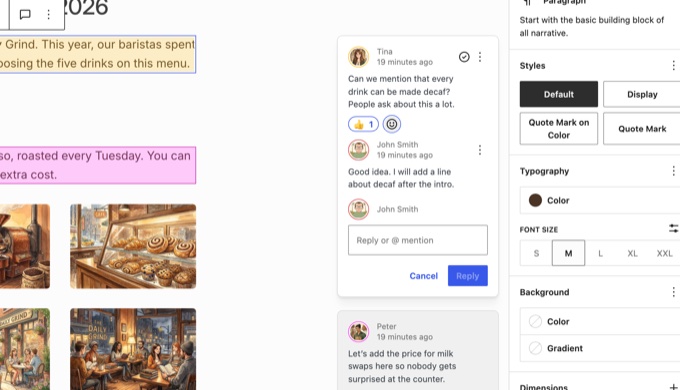
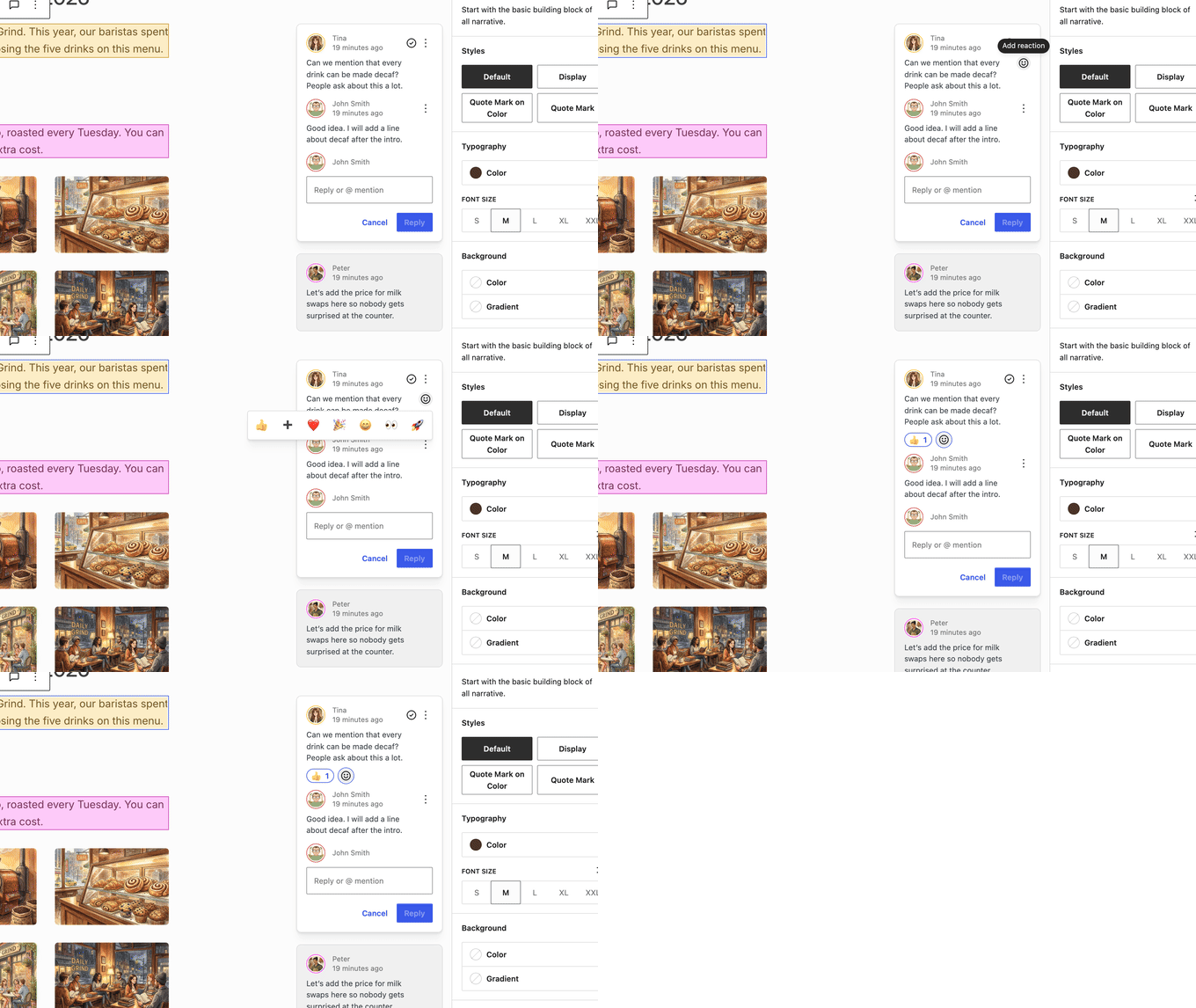
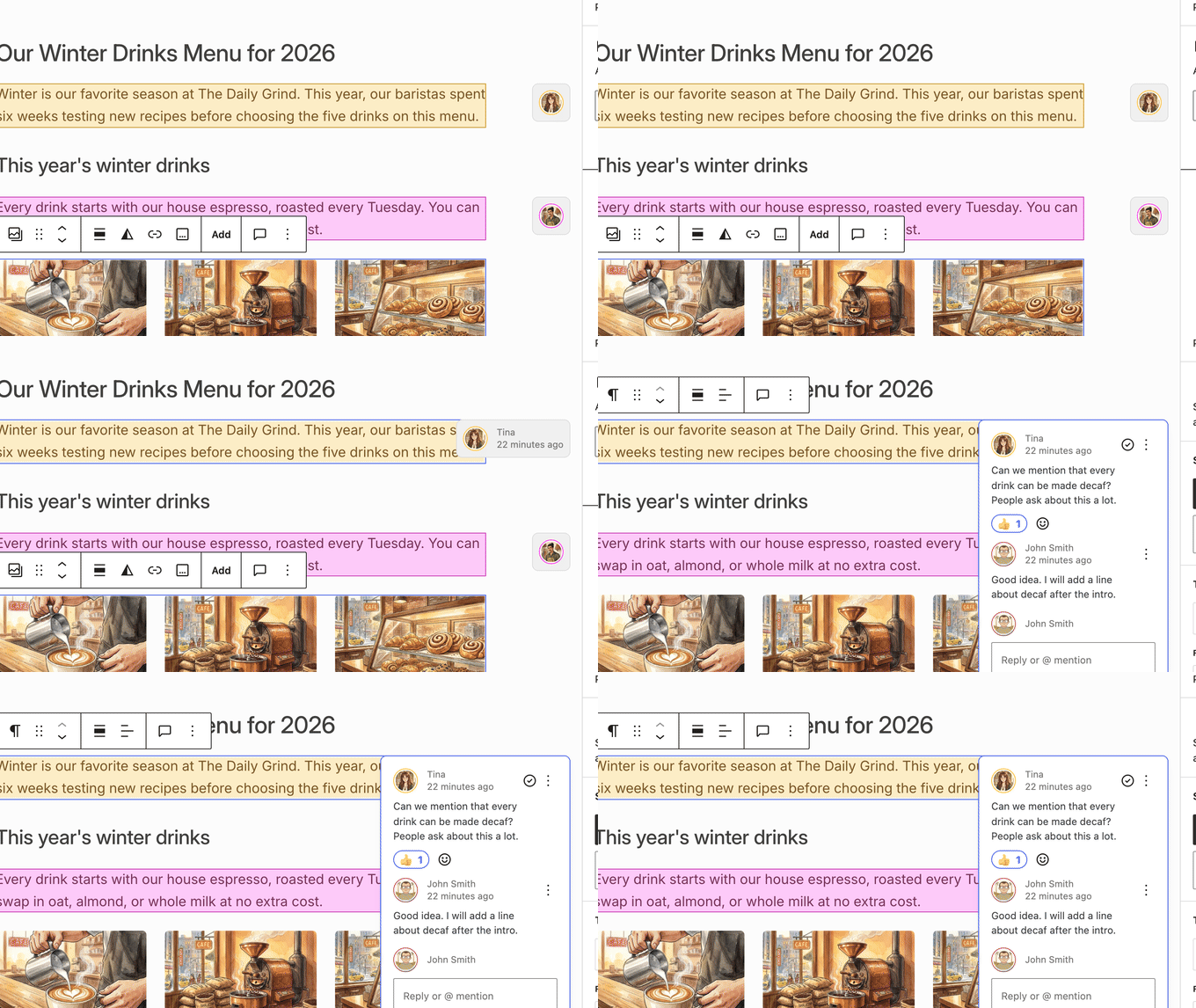
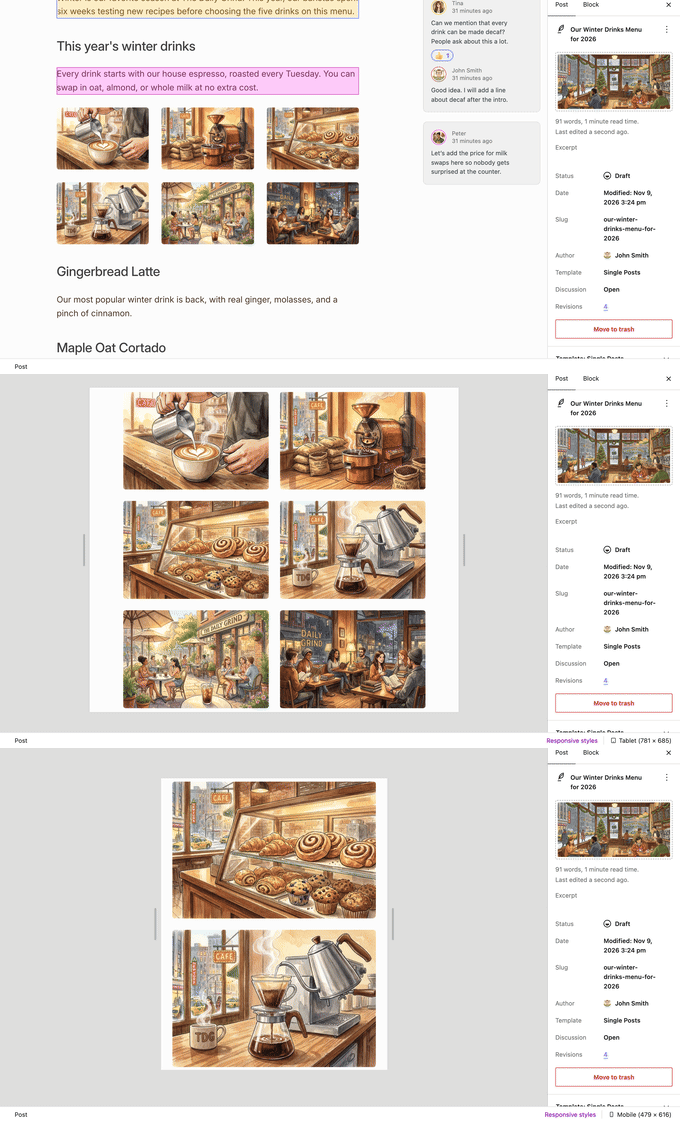
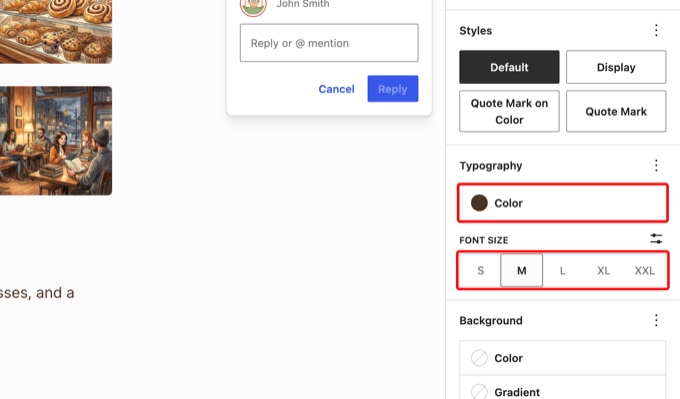
One of the most noticeable changes in WordPress 7.2 is the relocation of the Notes feature. Rather than being tucked away in a sidebar, notes will now float within the editor margin, positioned directly next to the relevant block. This layout mimics the collaborative feel of Google Docs, making it much easier for teams to review content.
This change allows users to keep the block settings panel open while simultaneously reading feedback, solving a long-standing frustration in the editor. Additional enhancements to the Notes system include:
- Emoji reactions: Users can respond to notes with quick icons like thumbs up or hearts, speeding up communication.
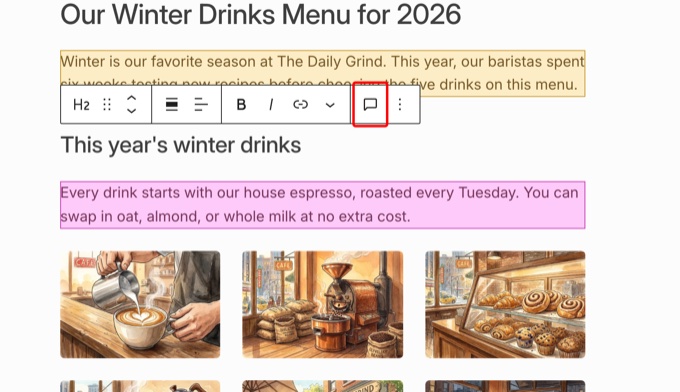
- Toolbar integration: A new speech bubble icon in the block toolbar allows for one-click note creation.
- Compact mode: For smaller screens, notes shrink into manageable avatar bubbles to save space.
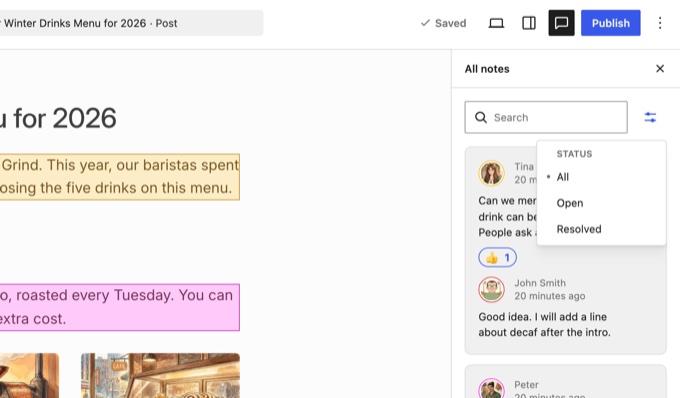
- Enhanced filtering: The All Notes panel now includes options to view only open or resolved notes.
Meet Ipsum: The New Default Theme
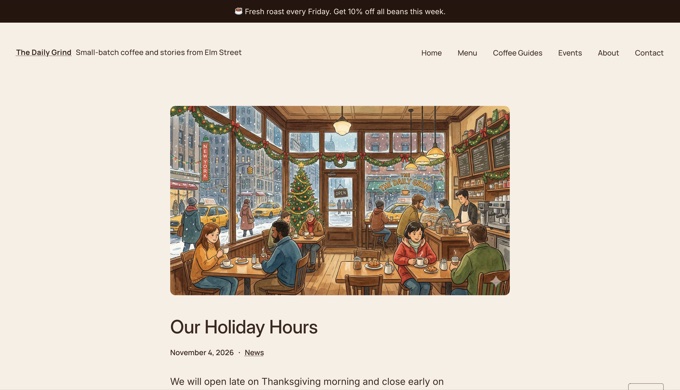
WordPress 7.2 ends a 16-year tradition by moving away from the “Twenty-XX” naming convention for its default themes. The new standard-bearer is Ipsum, a minimal block theme designed specifically for bloggers. As the name suggests, it provides a clean, versatile foundation that users can easily customize.
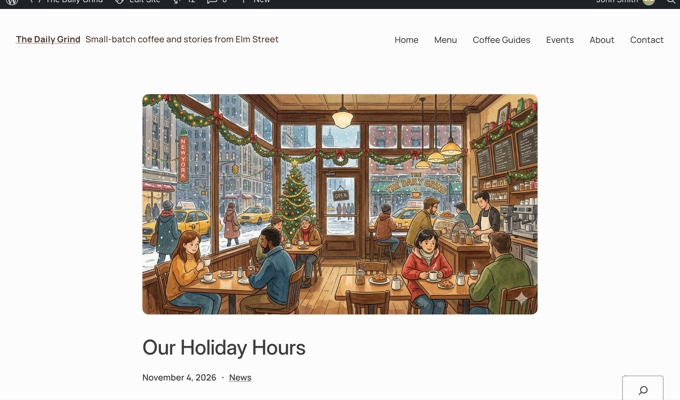
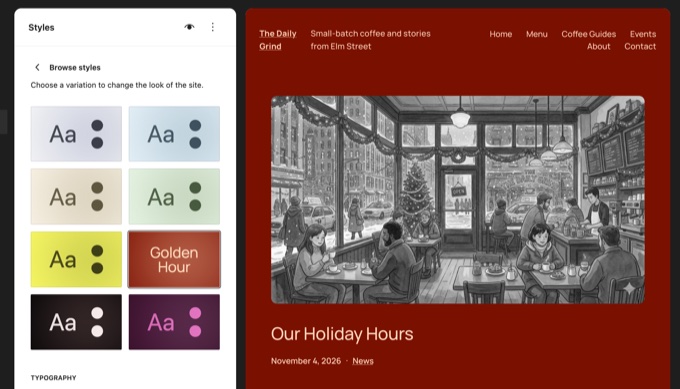
Ipsum is built to be highly adaptable, featuring various color styles and typography sets that can restyle an entire site with a single click. It also integrates smoothly with agentic AI tools, allowing users to use natural language to request design changes. For those interested in how previous versions handled similar shifts, read more: WordPress 7.1 Released: New Features, Image Processing, and Responsive Design.
Expanded Responsive Design and Form Styling
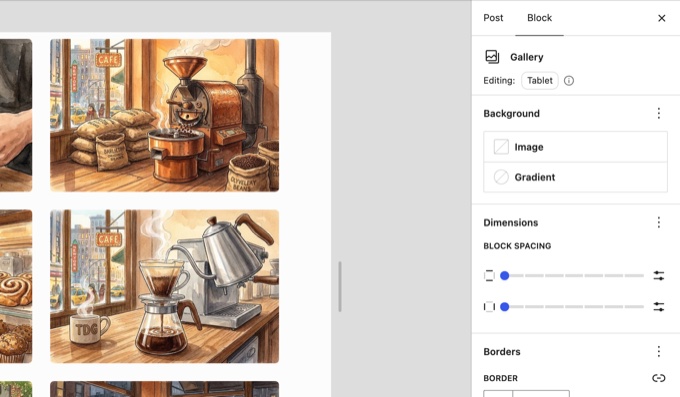
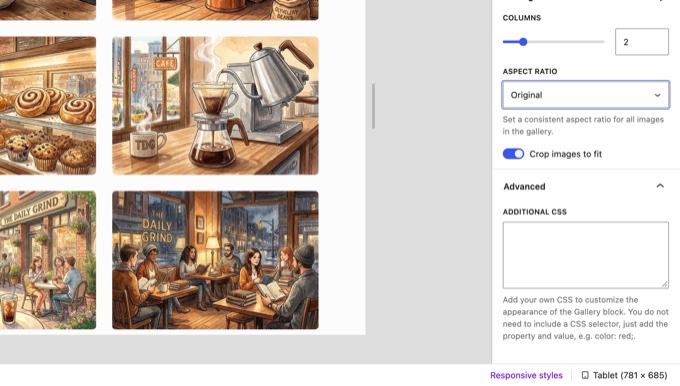
The ability to create responsive web design is becoming even more accessible in WordPress 7.2. The responsive styling feature, which debuted in the previous version, now extends to a wider variety of blocks, most notably the Gallery block.
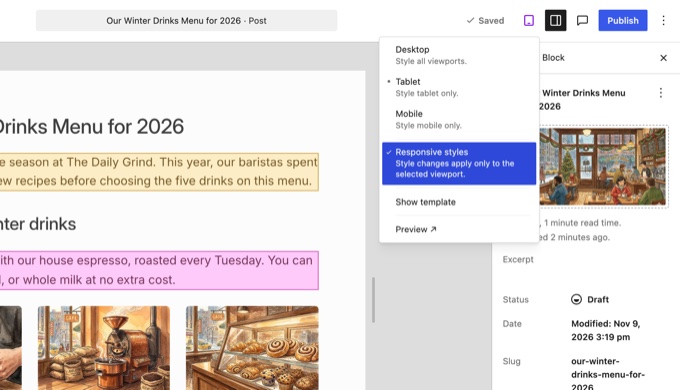
Users can now set specific column counts, aspect ratios, and cropping styles for desktop, tablet, and mobile views individually. When editing for a specific device, a badge will indicate the current mode, such as Editing: Tablet. This ensures that layouts remain visually appealing across all screen sizes without requiring CSS knowledge.
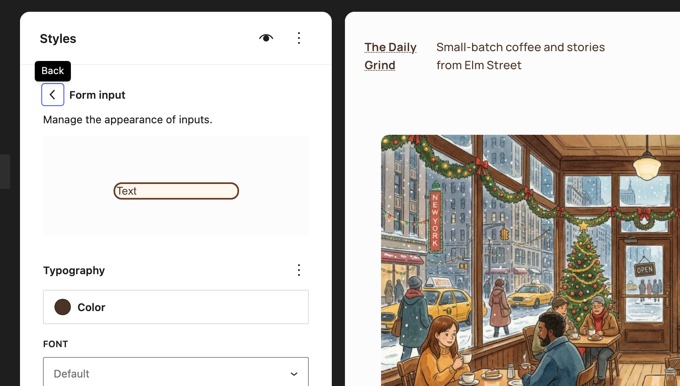
Furthermore, WordPress 7.2 introduces the ability to style common form elements directly through Global Styles. Instead of writing custom code to make input fields, dropdowns, or buttons match a theme, site owners can now manage these via the Appearance menu. This feature covers typography, colors, spacing, and borders for standard form controls.
Advanced Design Tools for Text and Images
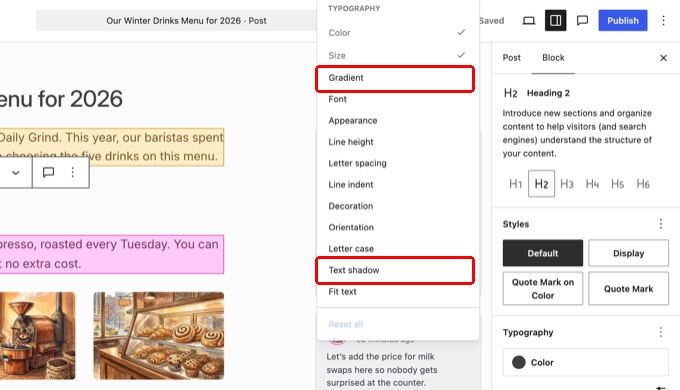
The update brings a suite of new design options to core blocks, giving users more creative control. Some of the key additions include:
- Text effects: New support for text shadows and text gradients.
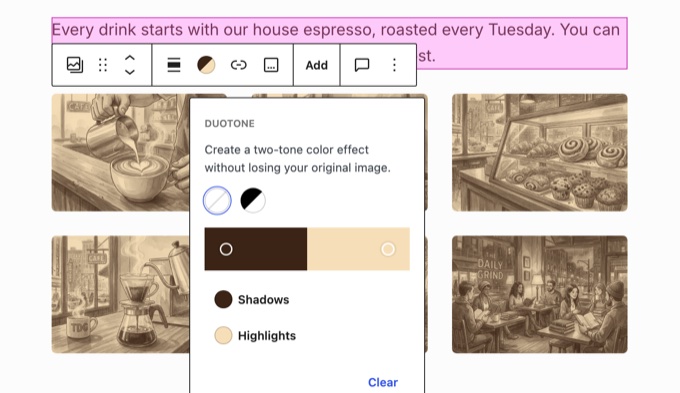
- Duotone filters: Users can apply consistent duotone tints to entire galleries at once.
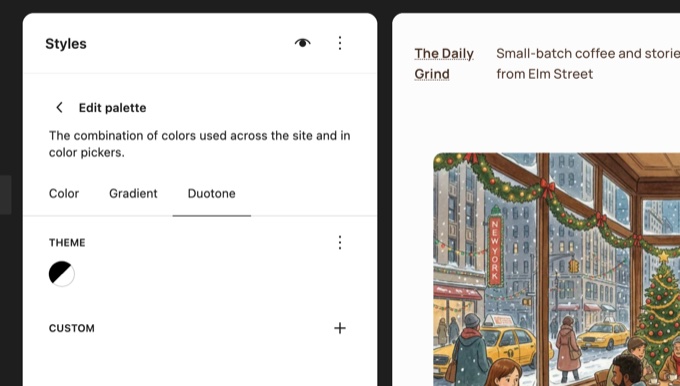
- Global duotone palettes: Site-wide presets for duotone styles can be managed in Global Styles.
- Gallery management: A new dropdown allows for sorting images within a gallery without manual dragging.
- Icon search: The Icon block now supports keyword searching to find specific graphics faster.
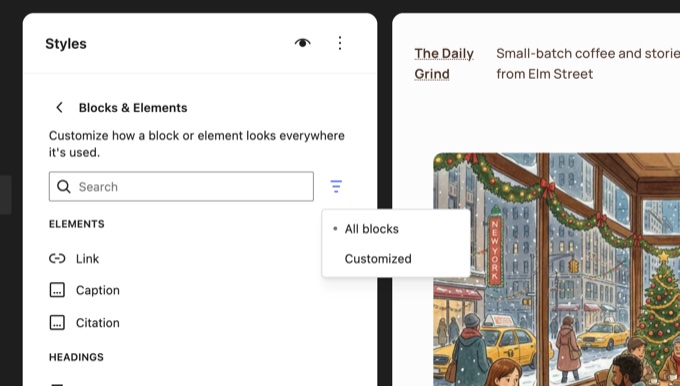
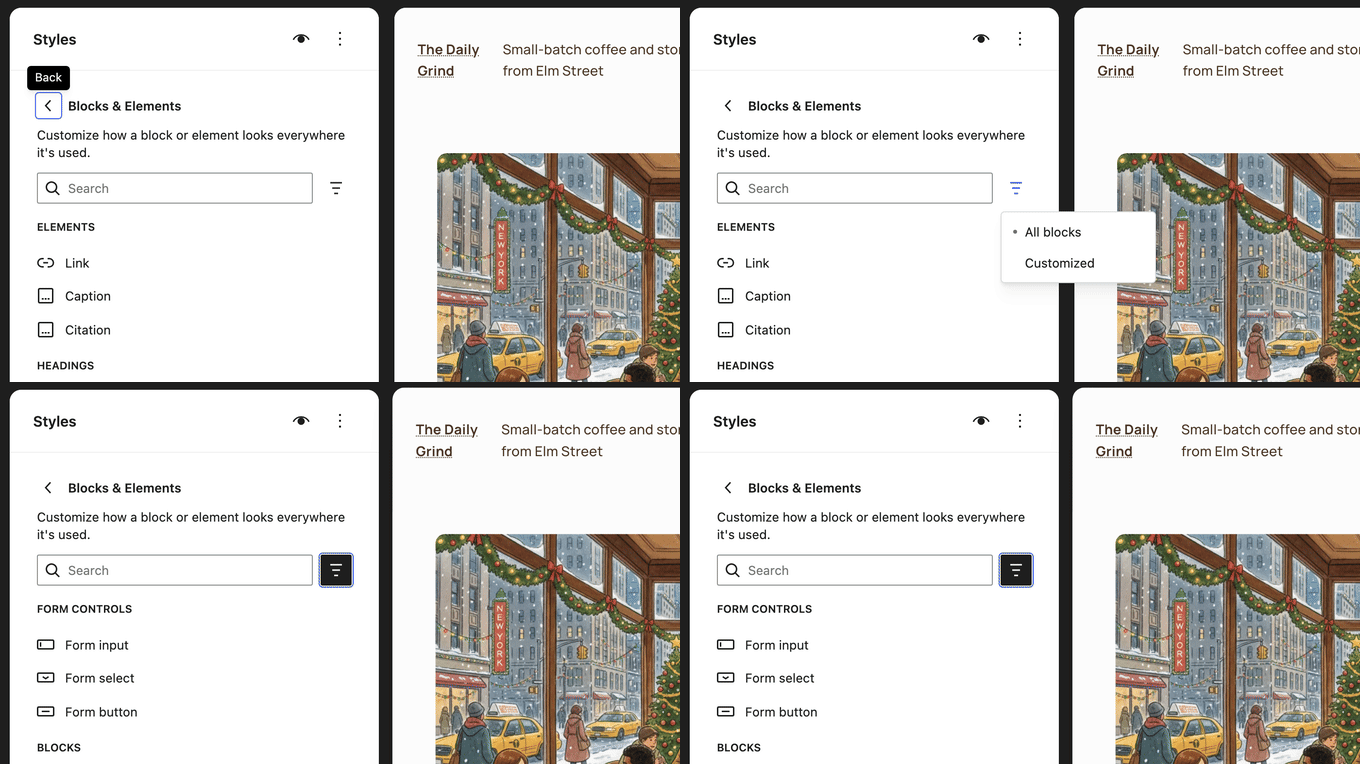
To help users stay organized, WordPress 7.2 also makes it easier to see which block styles are being inherited from Global Styles. The block settings will now display the active values, and a new Customized filter allows users to quickly find blocks that have been modified from their defaults.
Optimized Admin Area and Media Management
Performance is a core focus of this update. The WordPress admin area will load faster because scripts and stylesheets are now loaded individually, allowing for better browser caching. Additionally, a new prefetching feature predicts which screen a user might click next and loads it in advance.
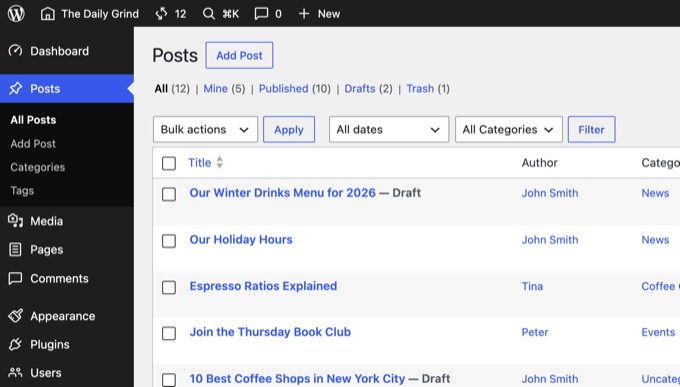
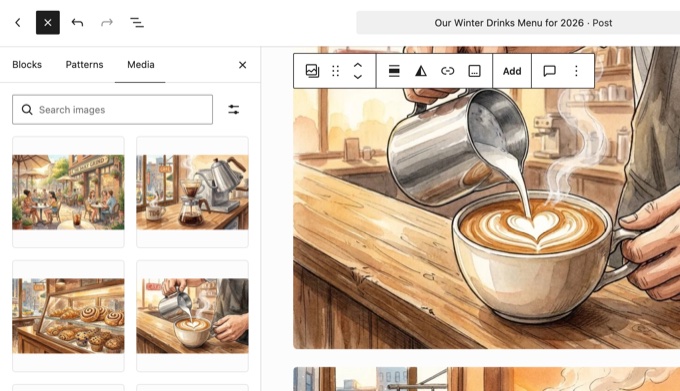
Media handling is also receiving a major boost. In Chromium-based browsers, the browser can now resize and compress images before they are uploaded to the server, reducing hosting load. The update also fixes a decade-old bug related to animated GIFs and WebP files, ensuring that animations are preserved across all image sizes.
Other administrative improvements include:
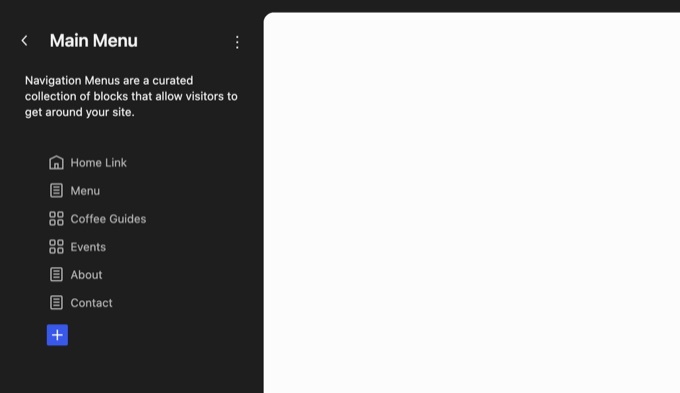
- Modern SVG icons for a more consistent interface.
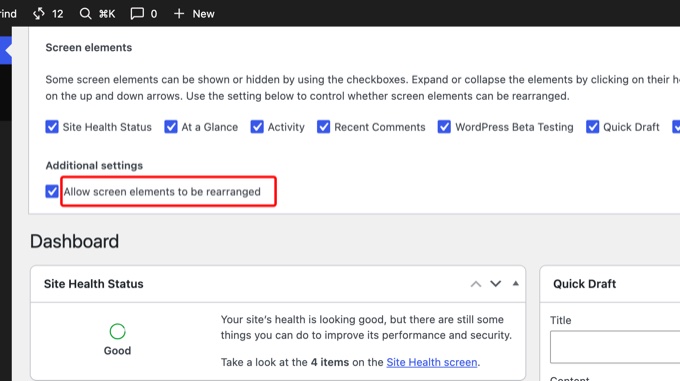
- The ability to lock meta boxes in place to prevent accidental movement.
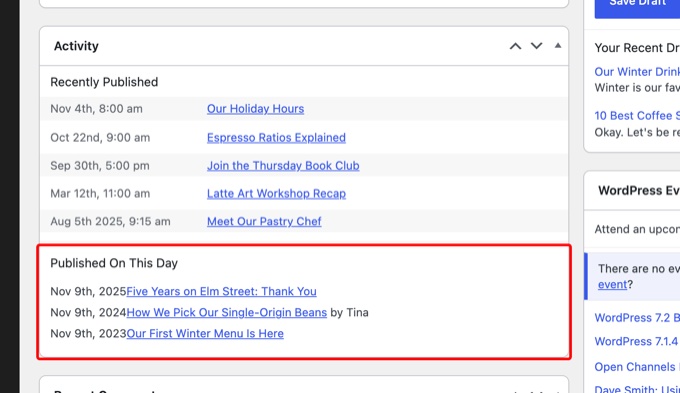
- A new Published On This Day section within the Activity widget to celebrate site history.
Discoverability via Random Post Links
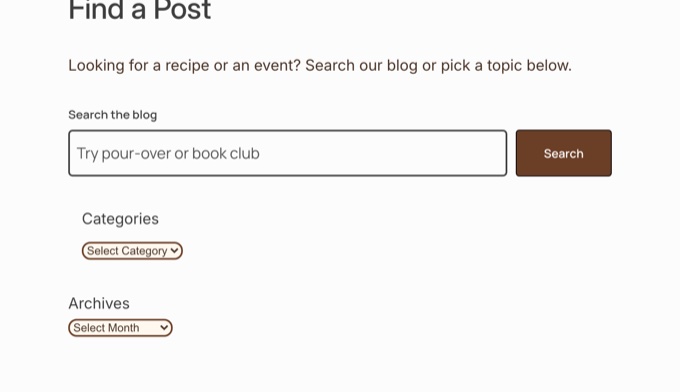
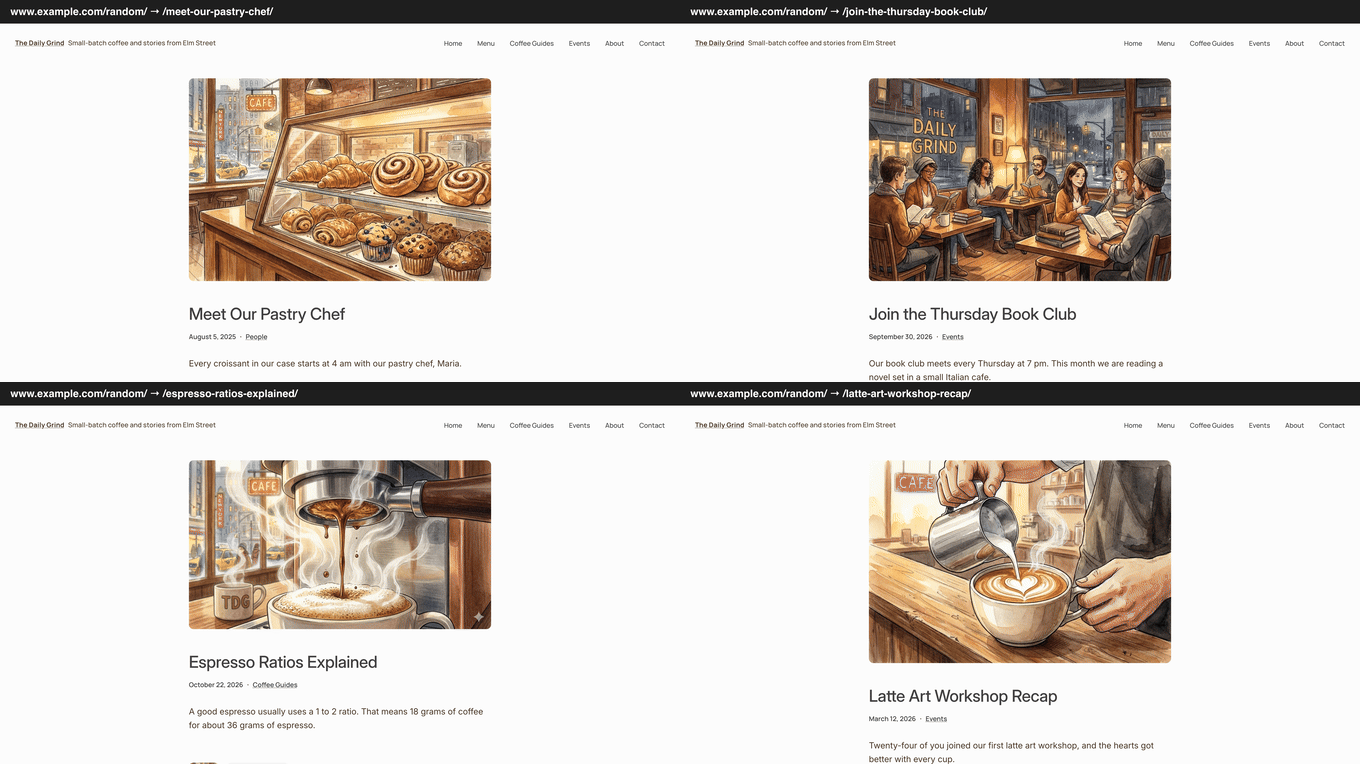
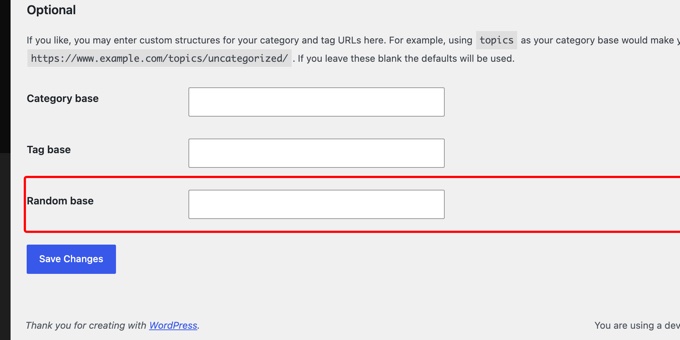
For a touch of fun, WordPress 7.2 introduces a built-in /random/ link feature. When a visitor navigates to this URL, they are sent to a random post on the site. This can be customized to target specific categories or authors, making it a great way to help readers discover older content.

What is Delayed in the Roadmap?
While many features are arriving in 7.2, some highly anticipated tools have been moved to later releases to ensure stability. Suggestion mode for Notes and the Table of Contents block are both expected in version 7.3. Similarly, real-time collaborative editing and certain advanced AI integrations will remain in separate plugins for the time being.
Frequently Asked Questions
When is the official release date for WordPress 7.2?
The WordPress core team plans to release the final version of WordPress 7.2 on December 8, 2026.
What is the new default theme in WordPress 7.2?
The new default theme is called Ipsum, which is a minimal block theme designed for simplicity and customization.
How does the new Notes feature work?
Notes now appear in the margin of the editor next to the relevant blocks, similar to comments in Google Docs, rather than being confined to a sidebar.
Can I style my website forms without using CSS?
Yes, WordPress 7.2 allows you to style standard form inputs, buttons, and selects through the Global Styles menu.
What is the purpose of the /random/ link?
The /random/ link allows visitors to be redirected to a random published post on your site, which can help increase content discovery.