
Understanding how users interact with a website is a fundamental aspect of digital growth. Whether you are looking to improve your own engagement or gain intelligence on your market rivals, knowing how to read traffic data is a vital skill. Dubai Web presents this comprehensive guide to help you navigate the various tools available for monitoring website performance and competitive trends.
For businesses investing in high-quality , tracking these metrics is the logical next step to ensure their online presence is actually delivering results. Measuring traffic allows you to see what content resonates with your audience and which strategies require adjustment. For information about our services, visit Web Design in Dubai.
Why Monitoring Website Traffic Is Critical
Website traffic acts as a pulse check for your digital health. By analyzing visits, you can determine if new content, product updates, or marketing campaigns are driving real engagement. If numbers rise following a specific action, you know you are on the right track; if they fall, it signals a need for investigation and correction.
Furthermore, traffic data provides deep insights into your audience’s behavior. You can identify which pages are most popular, how long visitors stay on your site, and their geographic locations. This data allows you to tailor your content to match user interests and optimize for the devices they use most frequently.
The Value of Competitor Intelligence
Analyzing competitor traffic is not about imitation, but about strategic awareness. By observing which pages receive the most views on a rival’s site, you can uncover trending topics and effective keywords. If a competitor is gaining significant traction through a specific social media platform or a particular subject matter, it provides a roadmap for where you might find success.
This research also reveals market gaps. If competitors are ignoring a niche topic that your target audience cares about, you have a unique opportunity to step in and capture that traffic. Monitoring their success and failures helps you position your brand more effectively within the industry.
The 10 Best Website Traffic Checkers
Not all analytics tools are created equal. Depending on whether you need deep SEO insights, social media tracking, or simple organic estimates, different platforms will suit your needs better than others.
1. Semrush
Semrush is a heavyweight in the SEO industry, widely used by professionals to conduct deep research. It provides detailed estimates of monthly visits, top-performing pages, and traffic distribution by country. It also breaks down sources such as search, social media, referrals, and direct visits.
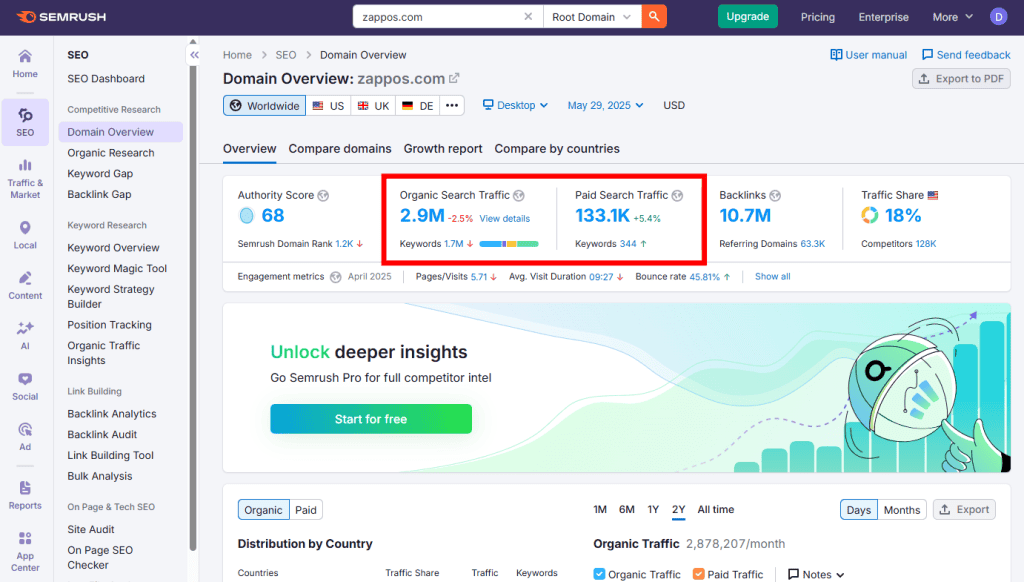
One of its strongest features is keyword analysis. You can track which specific terms a site ranks for, the volume of traffic those terms generate, and how rankings fluctuate. It also offers visibility into paid advertising strategies used via Google Ads.
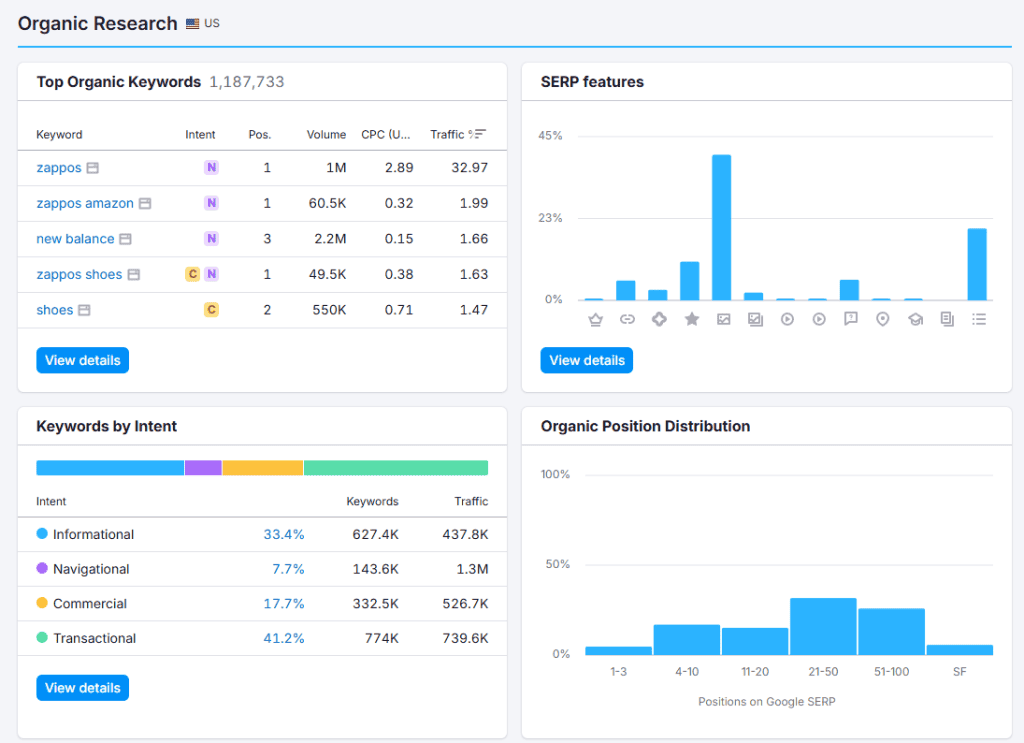
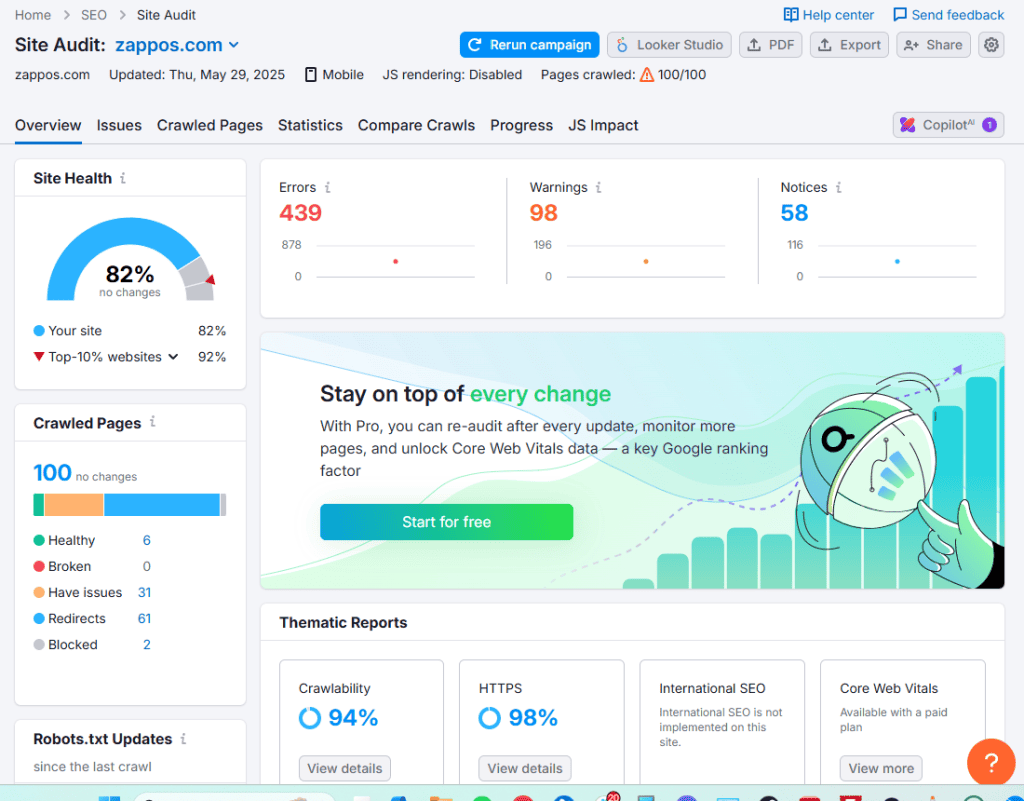
Beyond traffic, the platform includes features for site audits, backlink monitoring, and content planning. While it is a powerhouse of data, the high subscription cost and complexity may be challenging for absolute beginners.
2. Ahrefs
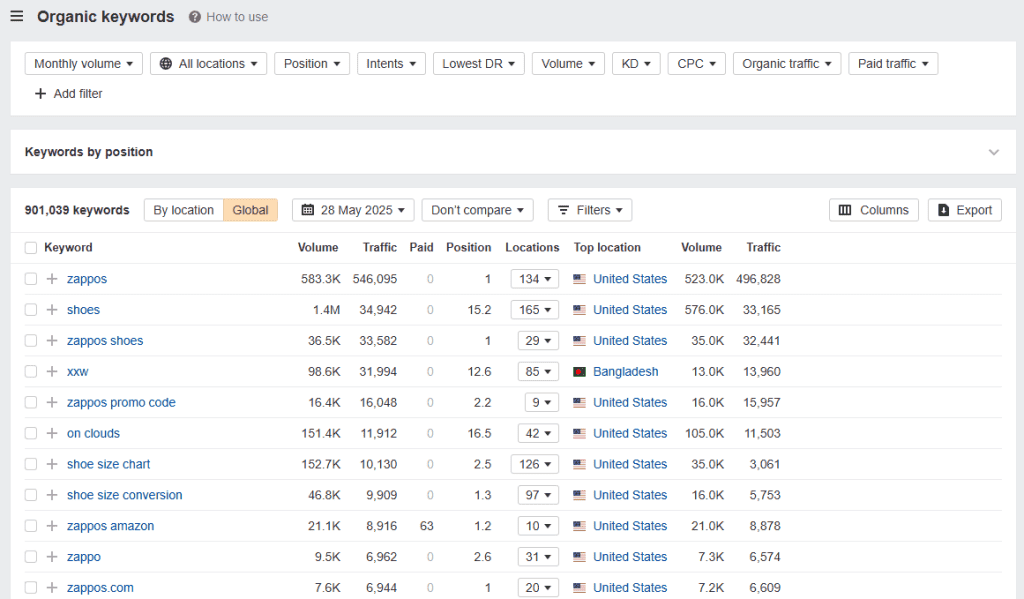
While famous for its industry-leading backlink database, Ahrefs is also exceptional for analyzing organic search traffic. Using the Site Explorer tool, users can estimate how many visitors a site receives from search engines and which specific keywords are driving that movement.
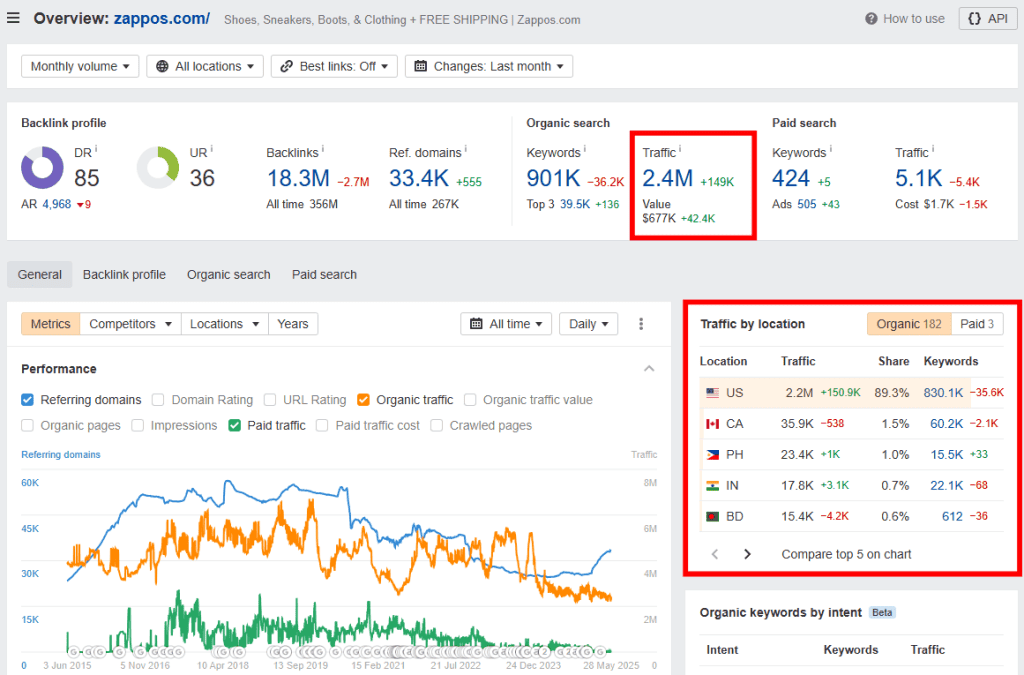
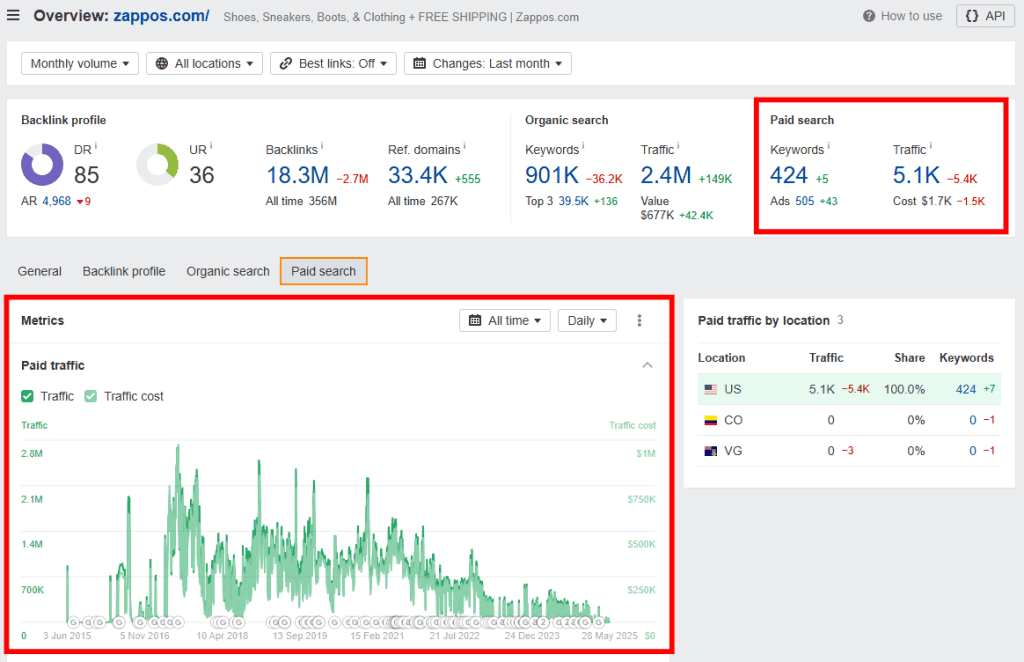
Ahrefs is particularly useful for content creators because it helps gauge how difficult it might be to outrank certain pages. It also provides insights into competitors’ paid keyword strategies and keyword ranking trends over time.
It is important to note that Ahrefs focuses primarily on search-based traffic rather than direct or social channels. While the data is robust, the paid plans are a significant investment for casual users.
3. SimilarWeb
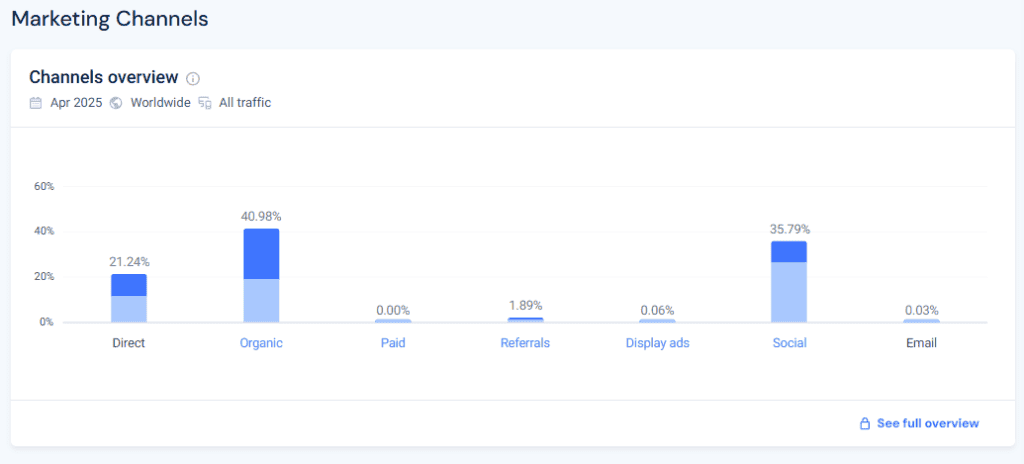
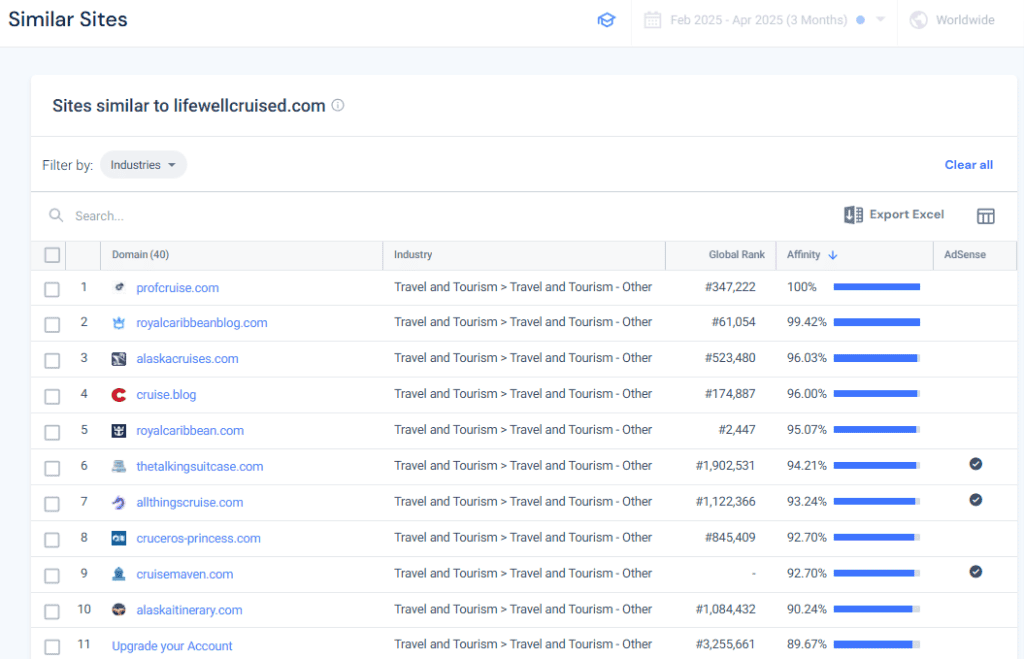
SimilarWeb provides a holistic view of a website’s digital footprint. Unlike tools that focus solely on search, SimilarWeb tracks all major channels, including direct traffic, referrals, social media, email, and display advertising.
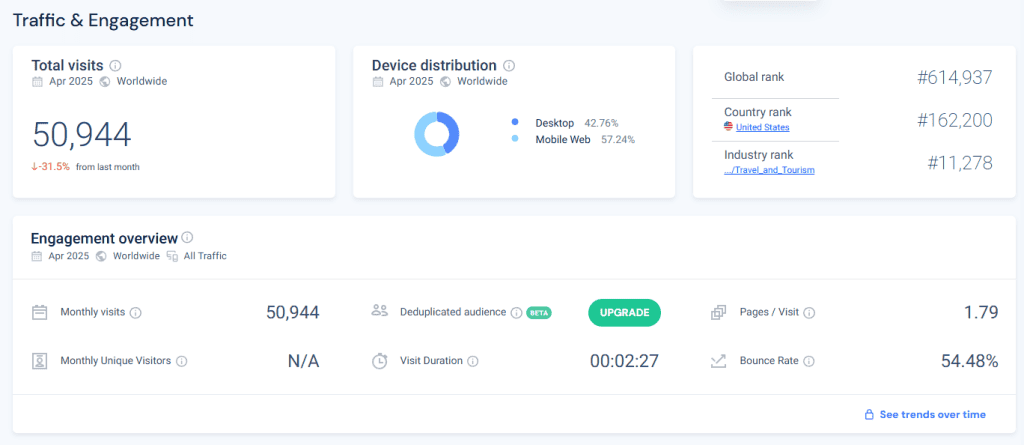
The platform offers high-level metrics such as bounce rates, average visit duration, and pages per visit. It also provides geographical breakdowns, which is essential for businesses targeting specific regional markets.
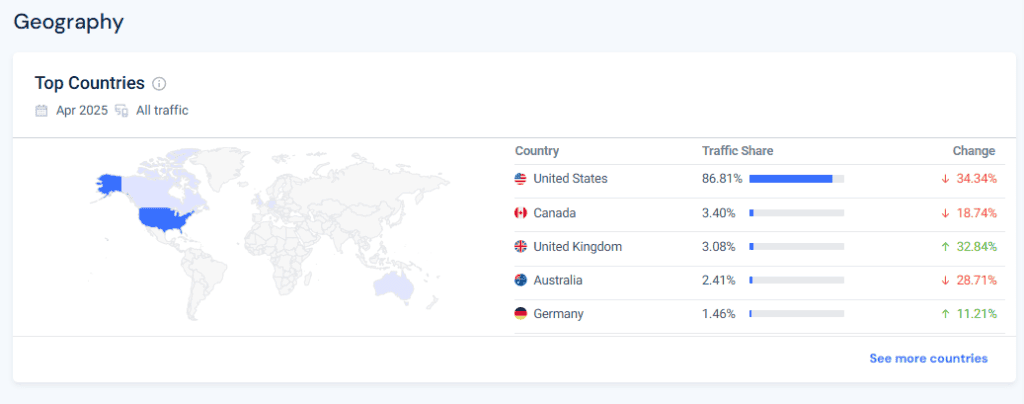
The level of detail regarding traffic sources is impressive, allowing users to see which social networks or search terms are most effective. It also offers audience interest data, which helps in understanding the demographics of a competitor’s visitor base.
4. Ubersuggest
Ubersuggest is an ideal starting point for beginners who require search-related traffic data without the high costs of professional suites. It offers estimates on organic traffic, keyword rankings, and top-performing pages.
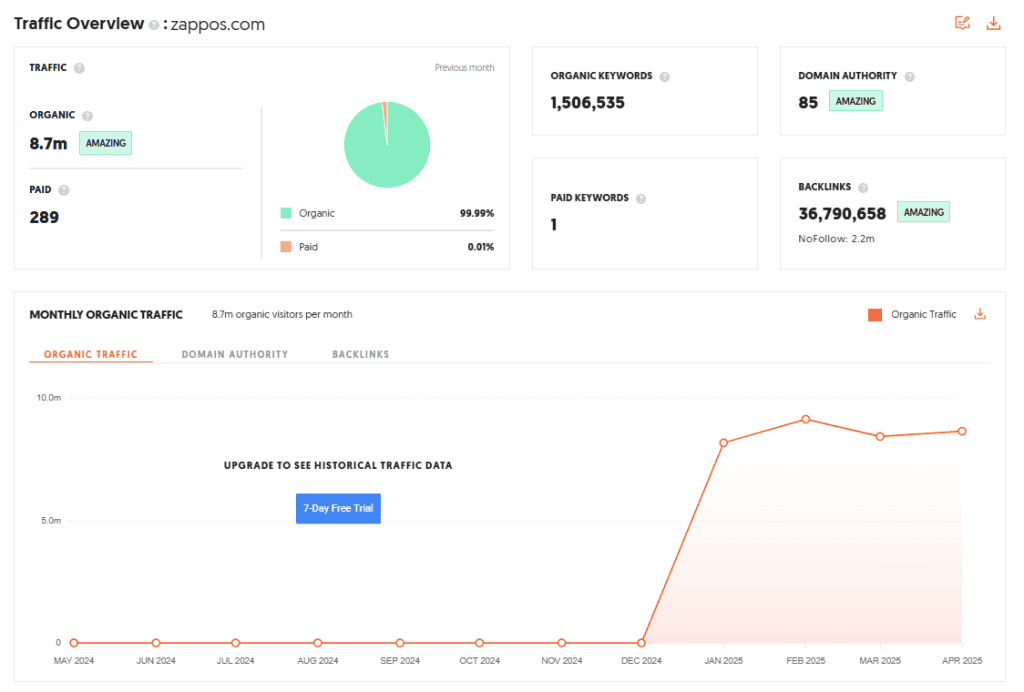
The tool provides clear visibility into which pages on a site are attracting the most visitors and provides essential SEO metrics like domain authority and page speed. This makes it a practical tool for content planning.
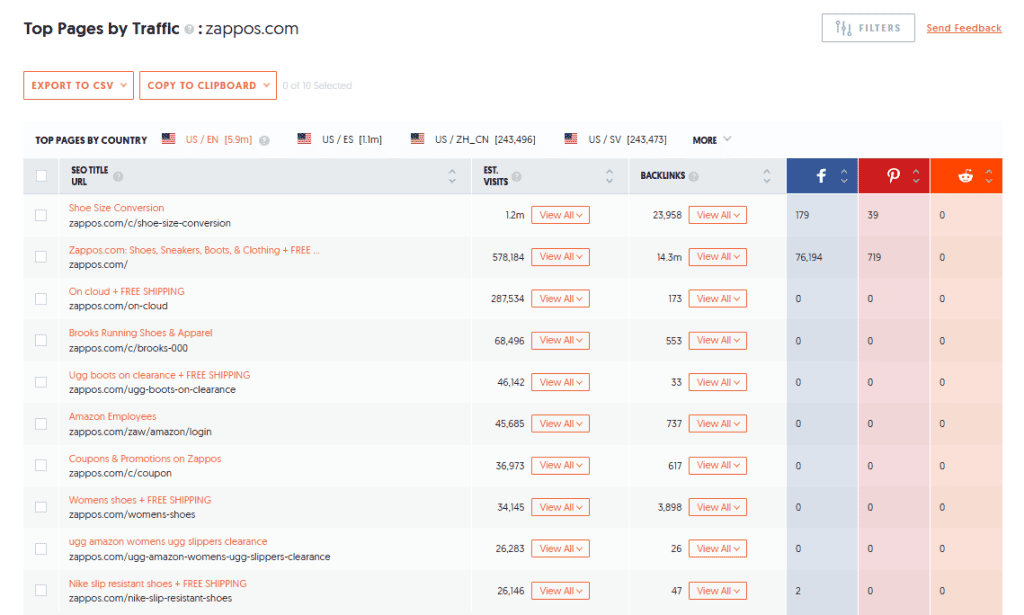
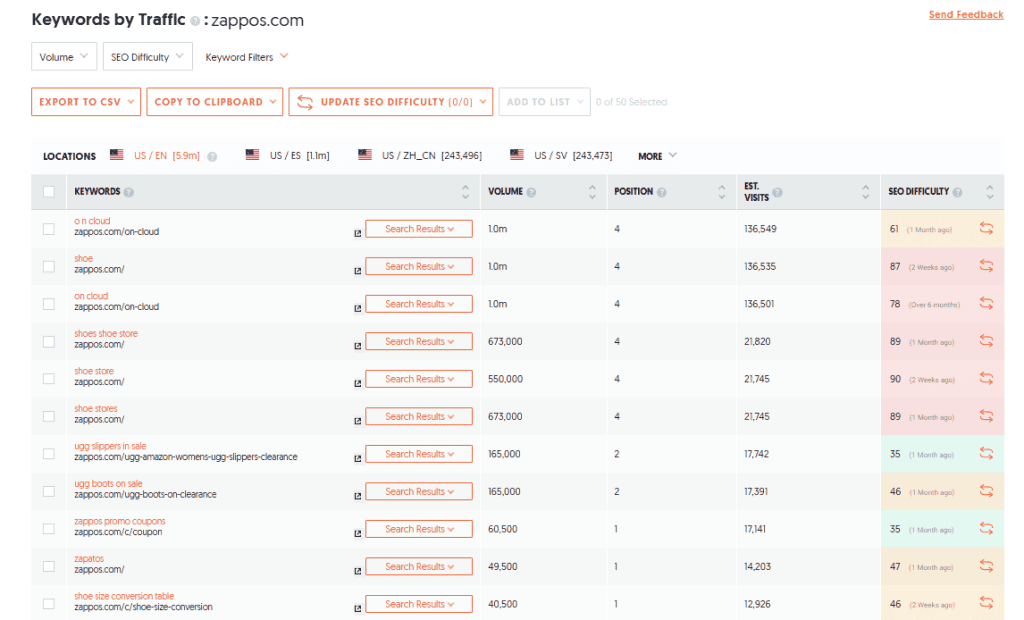
While it lacks the depth of Semrush or Ahrefs, its user-friendly interface and affordable pricing—including a rare lifetime plan option—make it highly accessible.
5. Google Search Console
For owners of their own websites, Google Search Console is an indispensable, free resource. Because the data comes directly from Google, it is far more accurate than the estimates provided by third-party tools. It shows exactly how many clicks and impressions your site receives in search results.
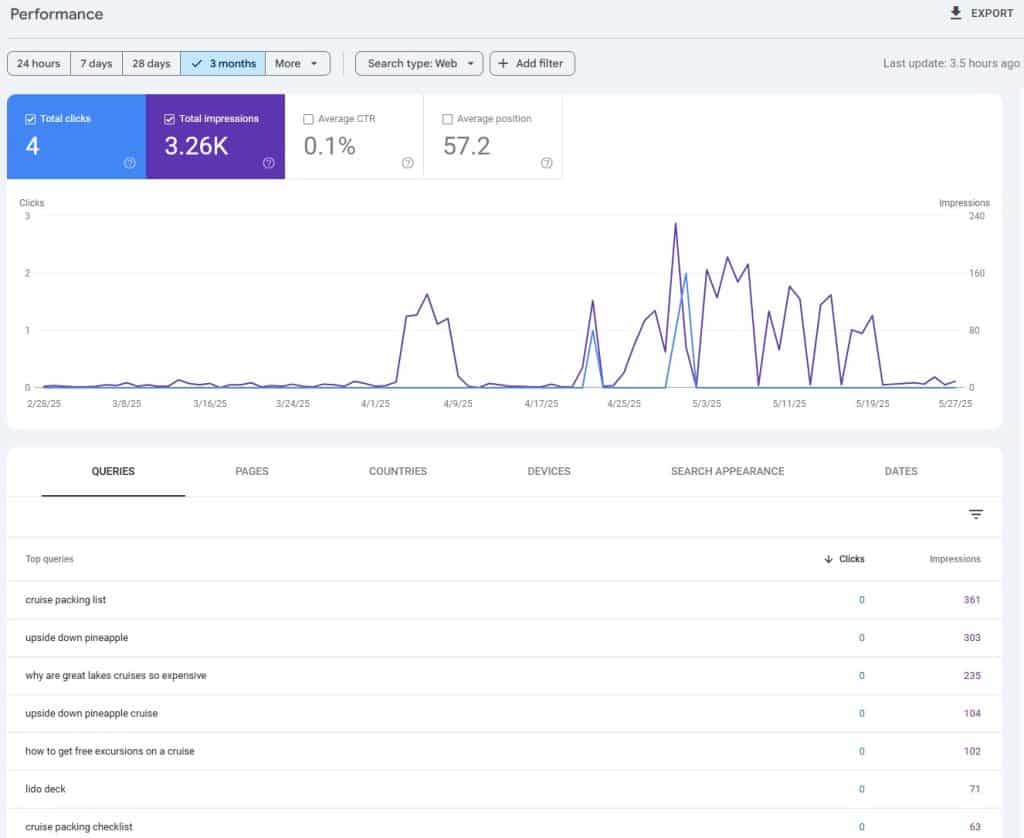
It also serves as a technical diagnostic tool, alerting you to mobile usability issues, indexing problems, or broken pages that could hinder your visibility. Read more: How to Connect Claude AI to Google Search Console (Step-by-Step Guide).
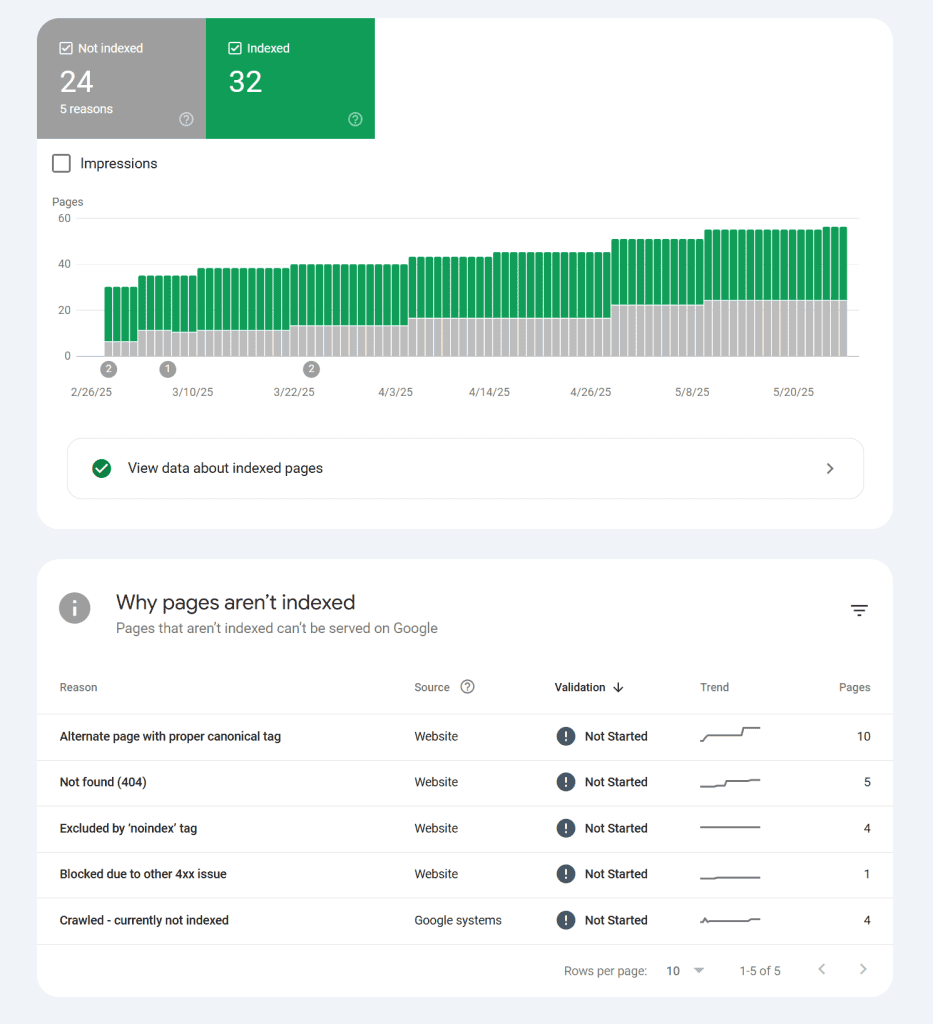
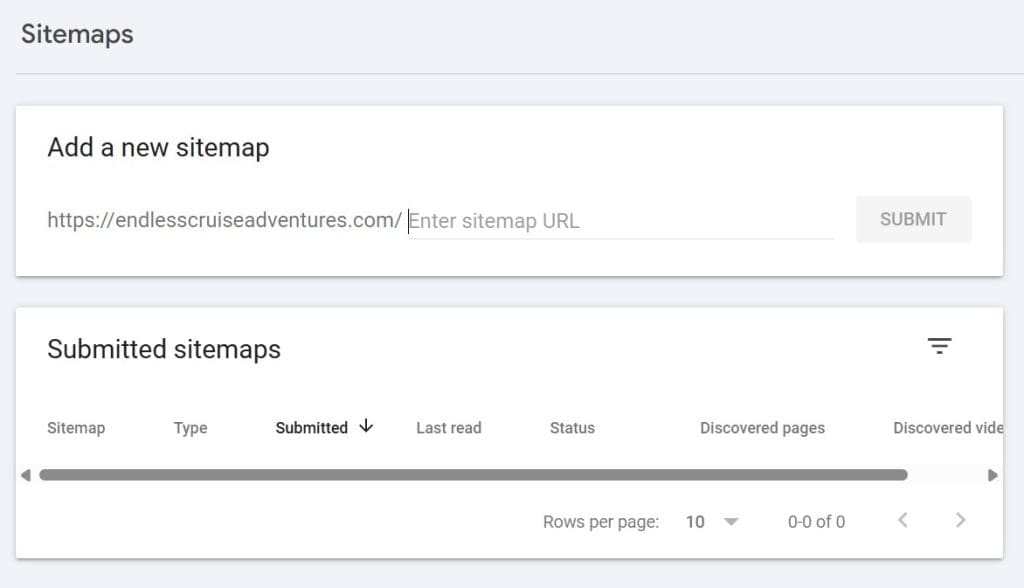
Additionally, you can use it to submit sitemaps, ensuring Google can find and crawl all your updated content efficiently.
6. Sitechecker
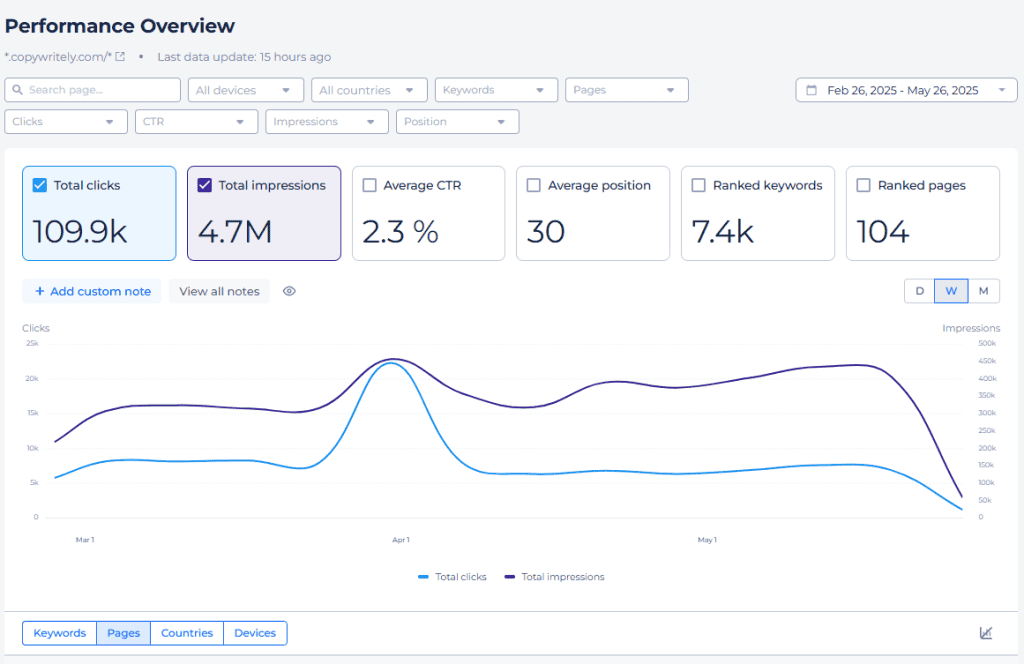
Sitechecker is designed for ease of use, making it a great option for those who find complex SEO dashboards intimidating. It provides traffic estimates and keyword rankings alongside a simplified overview of traffic sources.
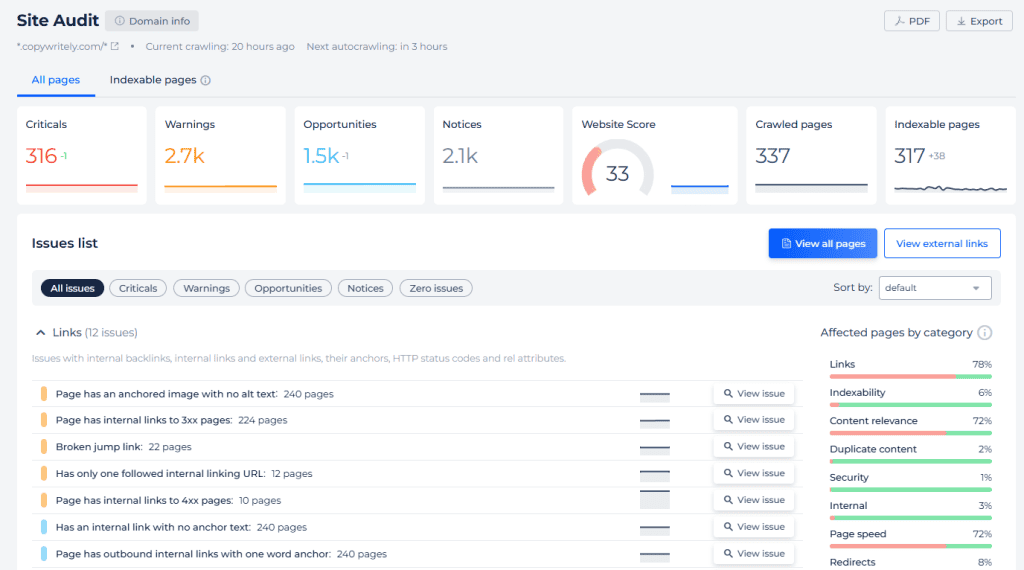
The tool also conducts automated SEO scans to identify issues like missing meta tags or slow loading speeds. These problems are presented in a color-coded, easy-to-understand format.
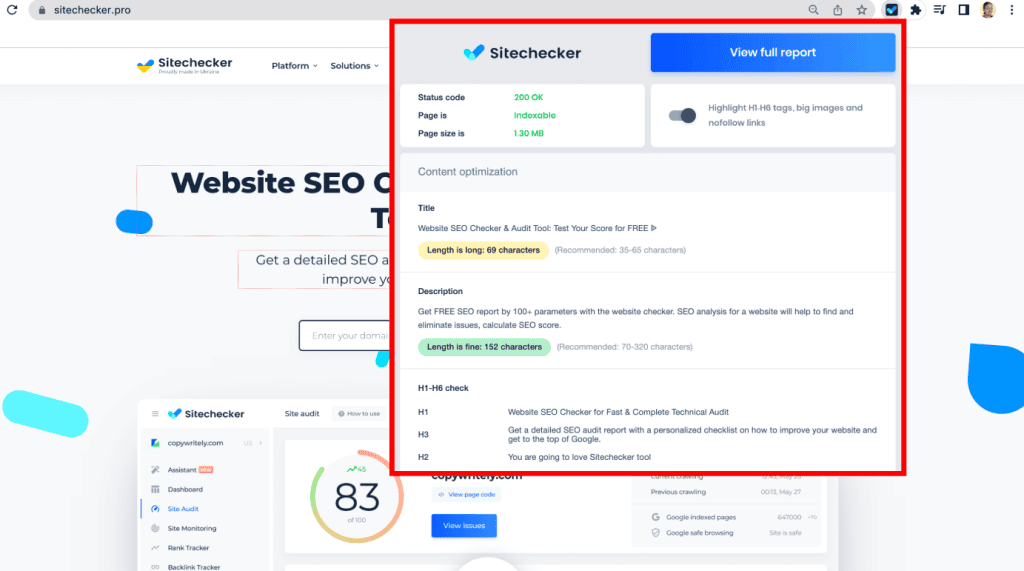
A helpful feature is its browser extension, which allows for quick traffic checks while you are browsing the web. While it is beginner-friendly, it may not offer the extreme depth required by advanced SEO specialists.
7. SE Ranking
SE Ranking is an all-in-one platform that combines traffic estimates with robust competitor analysis. It can pull data from Google Search Console to provide a detailed view of keyword performance and traffic trends.
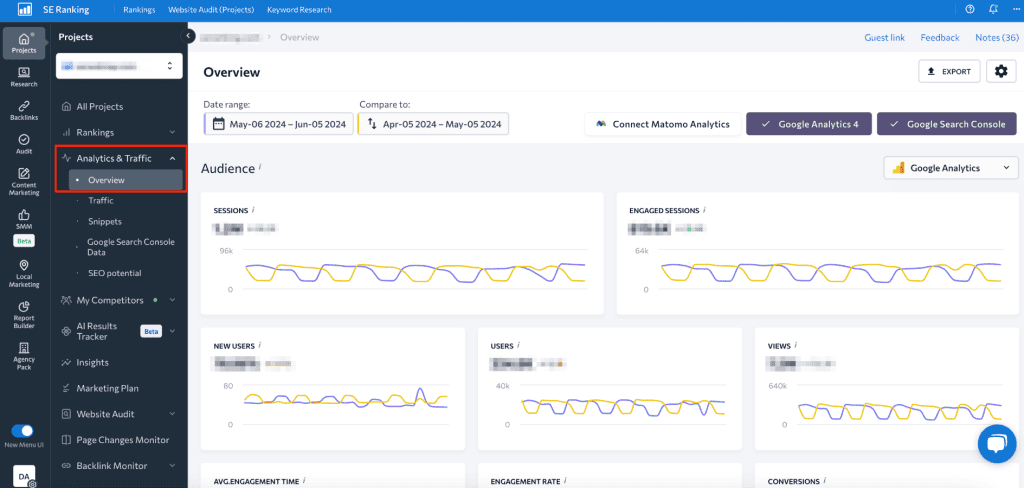
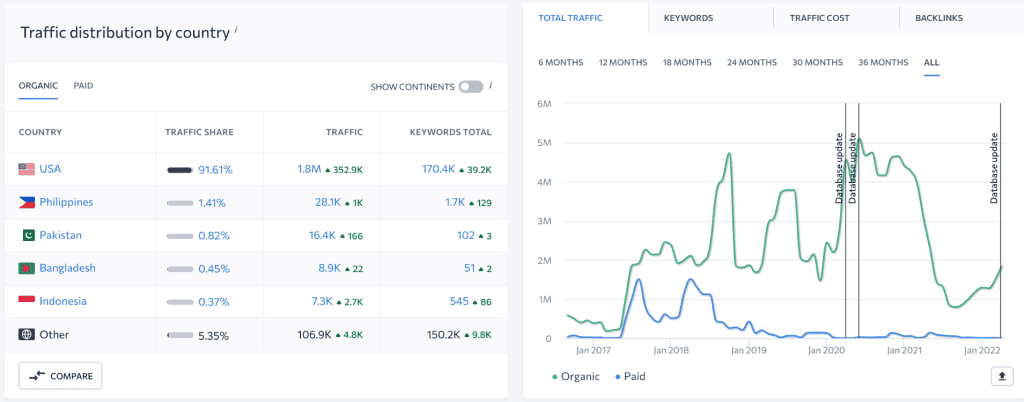
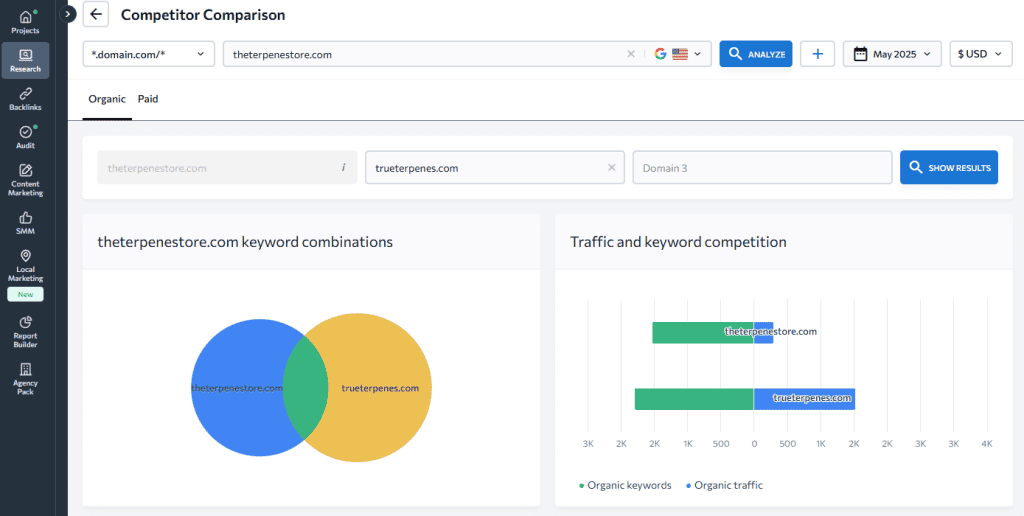
The platform allows for side-by-side comparisons of multiple websites, which is highly effective for benchmarking your performance against others in your niche. It also offers breakdowns by device and country.
8. Serpstat
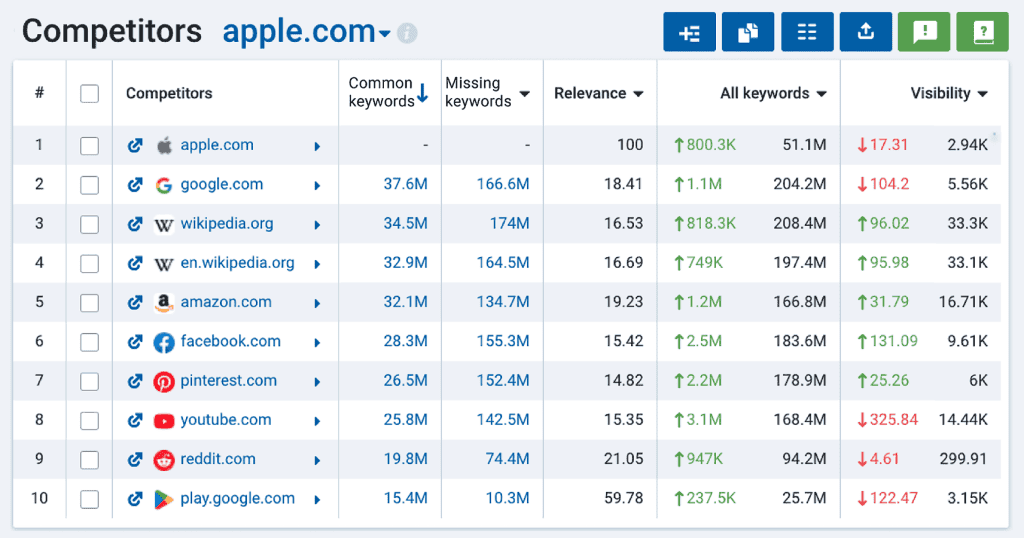
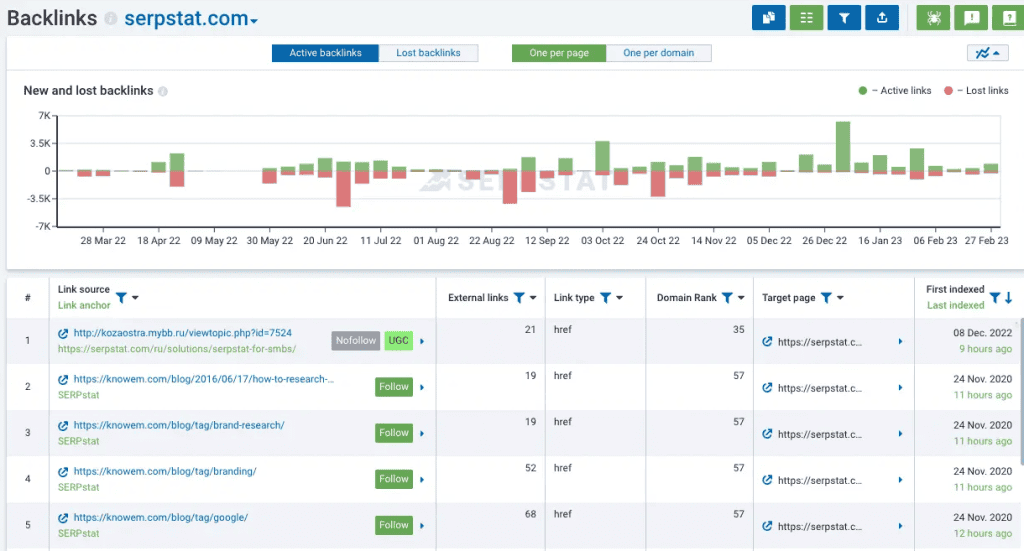
Serpstat is a comprehensive SEO tool geared toward data-driven growth. It offers estimates on monthly traffic, keyword rankings, and the top-performing pages for any given domain.
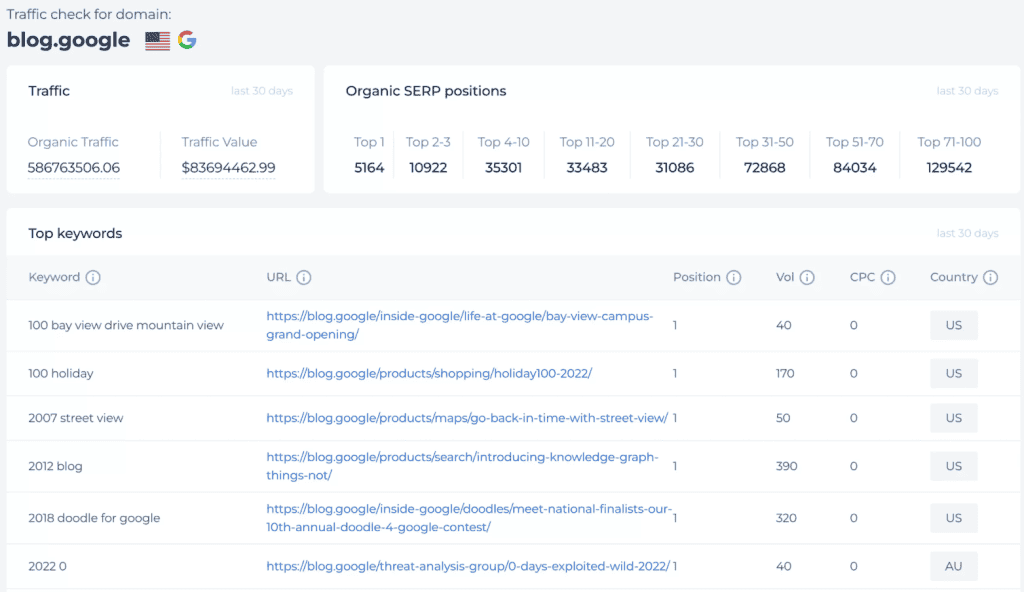
When performing competitor research, Serpstat identifies which search engines and countries are driving the most traffic to a rival’s site. It also includes tools for backlink analysis and site audits.
9. MonsterInsights
If you use WordPress, MonsterInsights is a powerful plugin that brings Google Analytics data directly into your dashboard. This eliminates the need to jump between different platforms to see how your site is performing.
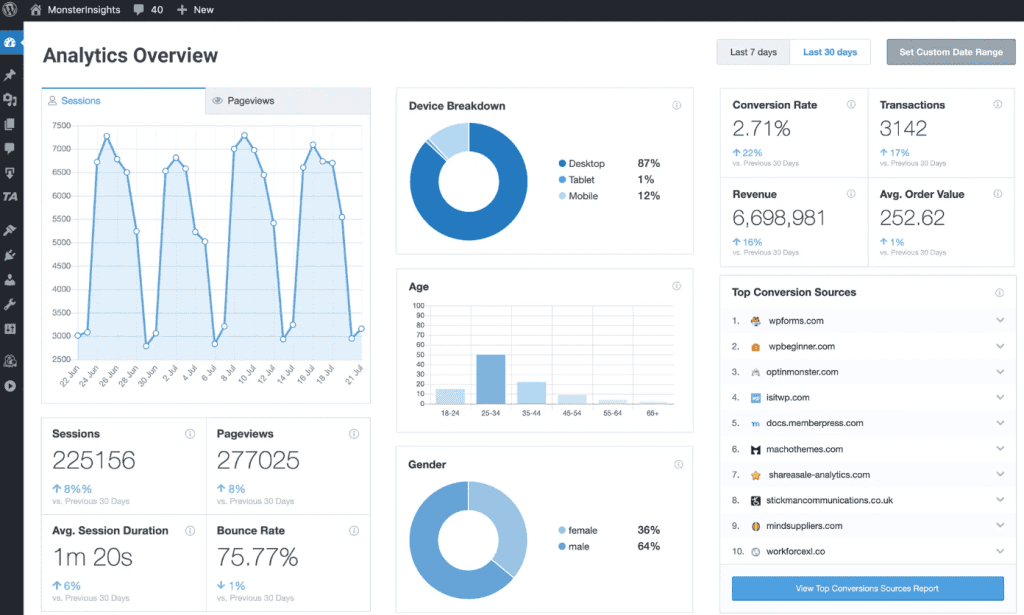
The plugin provides clear reports on top landing pages, referral sources, and visitor demographics. It is particularly useful for e-commerce owners who need to track conversion rates and product performance.
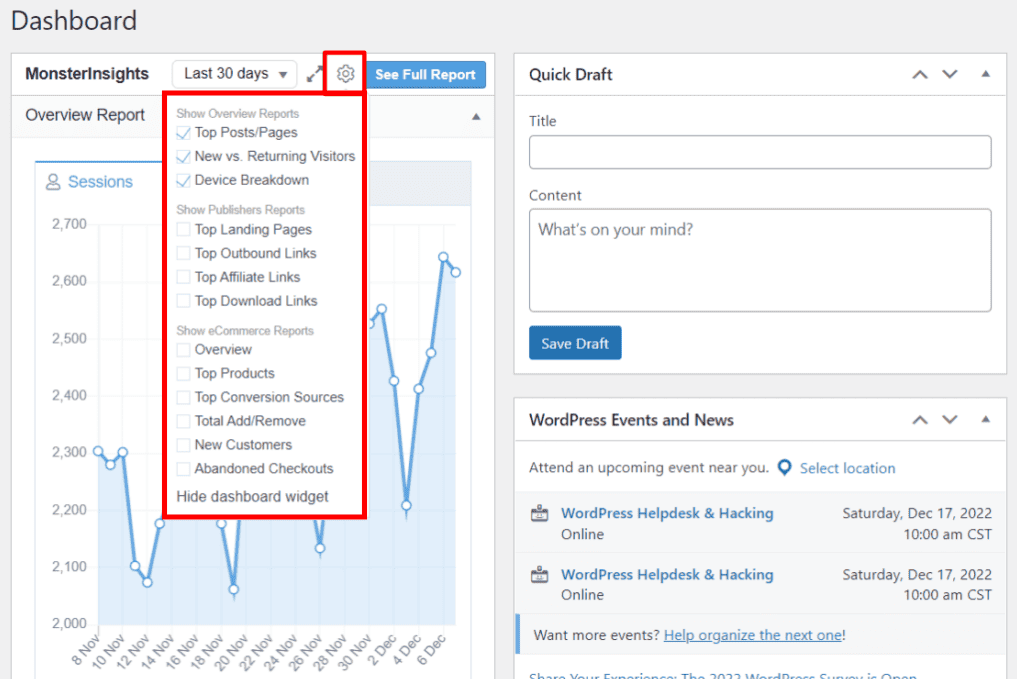
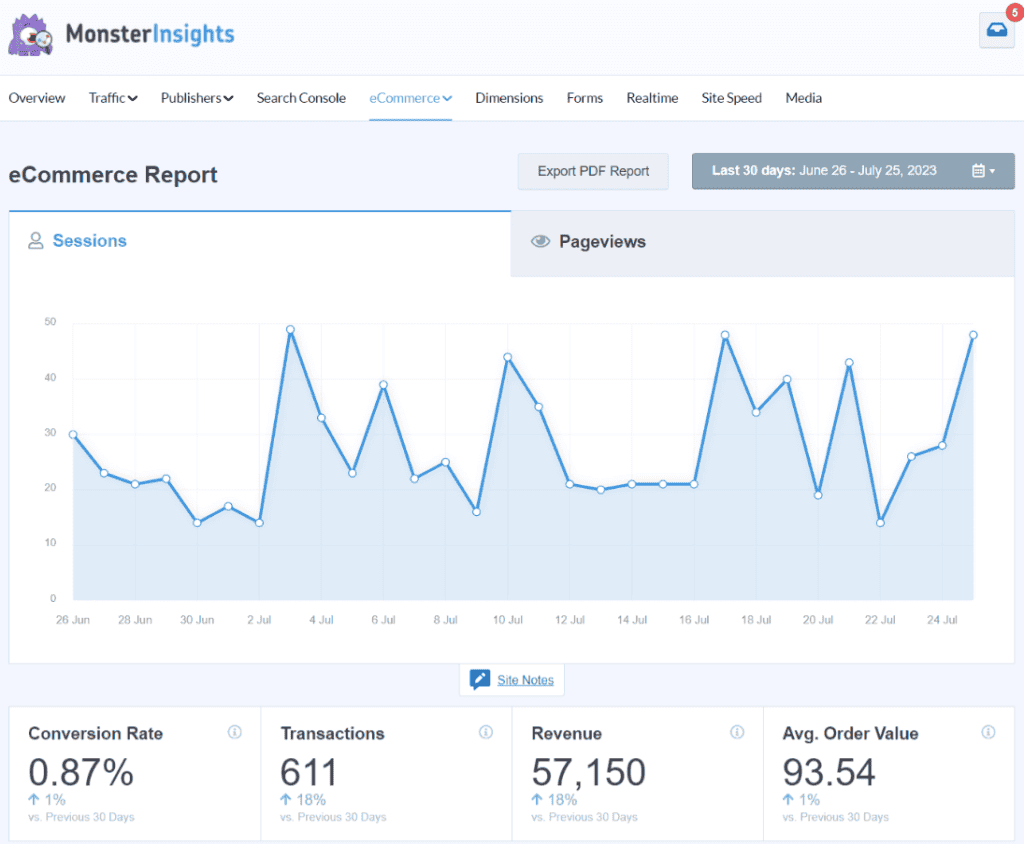
Read more: Top 10 SEO Plugins for WordPress You Should Install in 2026. While the free version offers basic stats, the Pro version is essential for real-time data and advanced e-commerce tracking.
10. Monitolink
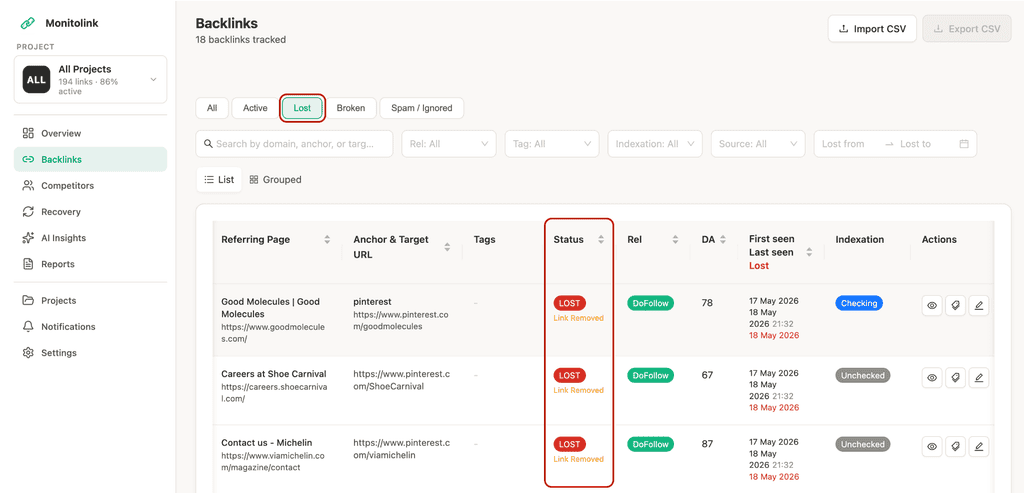
Monitolink is a specialized tool focused on backlink monitoring rather than general traffic estimation. It is designed for agencies and SEO teams that need to ensure their link-building efforts remain intact.
The software monitors your backlinks daily and alerts you if a link is lost, broken, or changes from dofollow to nofollow. Its standout feature is the ability to automatically reach out to site owners to recover lost links, making it a highly efficient tool for link maintenance.
Frequently Asked Questions
What is website traffic?
Website traffic refers to the number of users who visit a website and the ways they interact with its content. This includes metrics like total visits, pages viewed, time spent on the site, and the origin of the visitors.
Can I check a website’s traffic for free?
Yes, several tools like SimilarWeb and Ubersuggest offer free versions that provide traffic estimates. While these free versions are not as detailed as paid plans, they are useful for getting a general idea of a site’s popularity.
Is it possible to track my competitors’ traffic?
Yes, you can use third-party estimation tools such as Semrush, Ahrefs, or SimilarWeb to view estimated traffic data for any public website, including those owned by your competitors.
How accurate are third-party traffic estimation tools?
Third-party tools provide estimates based on various data sources, such as clickstream data and browser plugins. While they are not 100% exact, they are highly effective for identifying trends, comparing competitors, and observing changes over time.
What is the difference between pageviews and unique visitors?
Pageviews represent the total number of times a page is loaded, even if the same person visits it multiple times. Unique visitors represent the actual number of individual people who have visited the site during a specific timeframe.