Quick Answer: You can unlock premium Elementor features—including form builders, custom CSS, popups, and theme building—without a paid license by using Pro Elements, a free open-source plugin licensed under GPLv3. It provides automatic updates and full widget functionality while seamlessly integrating into WordPress.
For growing businesses and web professionals building high-performing sites in competitive markets like Dubai, budget optimization matters. Elementor is one of the most popular page builders for WordPress, but its premium features require an annual subscription. If you need advanced site-building functionality on a lean budget, Pro Elements provides a clean, open-source alternative.
At Dubai Web, as a leading web design and development partner in Dubai, we empower businesses with tailored digital strategies, modern UI/UX design, and scalable WordPress architectures. Here is a practical guide on setting up Pro Elements safely and efficiently.
What Is Pro Elements and How Does It Work?
Pro Elements is a free, open-source WordPress plugin derived directly from the Elementor Pro codebase under the General Public License (GPLv3). It acts as an enabler for core pro capabilities without modifying core files or requiring cracked/nulled software.
- Automatic Updates: Receives updates directly through your WordPress dashboard.
- 100% Free & Legal: Distributed legally under the GNU General Public License.
- No License Key Required: Instantly unlocks pro widgets upon activation.
Core Features Unlocked vs. What Is Missing
Before installing, it is essential to understand what Pro Elements includes and where it differs from an official Elementor Pro subscription.
| Feature | Pro Elements (Free) | Elementor Pro (Paid)
|
|---|---|---|
| Pro Widgets (Forms, Posts, Slides, etc.) | Yes | Yes |
| Custom CSS & Dynamic Colors | Yes | Yes |
| Theme Builder & Popup Builder | Yes | Yes |
| Role Manager & Global Settings | Yes | Yes |
| Pre-made Template Library & Kits | No | Yes |
| Official 24/7 Elementor Support | No | Yes |
Step-by-Step Guide to Activating Pro Elements
Step 1: Install and Activate the Free Elementor Plugin
Ensure you have the core Elementor plugin installed on your WordPress site:
- Navigate to your WordPress Admin Dashboard.
- Go to Plugins > Add New.
- Search for Elementor, click Install Now, and then Activate.
Step 2: Download the Pro Elements Plugin
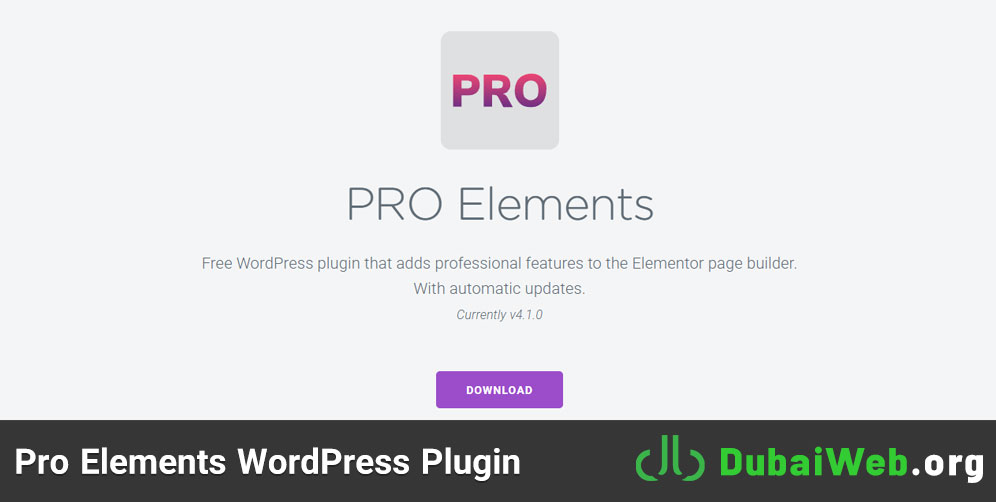
Obtain the latest release of the Pro Elements ZIP file directly from its official GitHub repository or community website. Always download from verified sources to maintain site security.
Step 3: Upload and Activate Pro Elements
- In WordPress, go to Plugins > Add New > Upload Plugin.
- Select the downloaded pro-elements.zip file.
- Click Install Now, then click Activate Plugin.
Step 4: Verify unlocked Features in the Editor
Open any page or post and click Edit with Elementor. Scroll down to the Pro section in the left panel. All previously locked elements—such as Forms, Portfolio, Flip Box, and Price Table—will now be ready to drag and drop onto your canvas.
Pro Tip for Dubai Businesses: When configuring the Form widget, integrate it directly with your CRM or email marketing tools (like Mailchimp or ConvertKit) under the Actions After Submit tab to capture localized leads efficiently.
Best Practices for Using Pro Elements Safely
While Pro Elements is safe and GPL-compliant, executing web projects for business websites requires careful technical management:
- Keep Core Plugins Updated: Always update WordPress core, Elementor base, and Pro Elements to avoid PHP compatibility issues.
- Maintain Regular Backups: Use plugins like UpdraftPlus or server-side backups before updating major builder components.
- Evaluate Custom Code: Test any custom CSS or JavaScript added via Pro Elements on staging environments prior to pushing live.
When Should You Upgrade to Elementor Pro?
While Pro Elements provides great value for startups and personal projects, enterprise brands and rapidly growing businesses in Dubai often benefit from the official Elementor Pro subscription. Upgrading is recommended if you depend heavily on pre-designed template kits, custom WooCommerce builders with dedicated support, or instant official ticketing for mission-critical web applications.
Conclusion
Pro Elements is an ideal solution for unlocking premium design flexibility on a budget. By following this guide, you can leverage custom styling, dynamic widgets, and advanced lead generation forms without ongoing software overhead.
Need a tailor-made, high-converting website built for the Dubai market? Dubai Web specializes in custom web development, corporate WordPress architecture, and local search engine optimization designed to grow your business online.
Frequently Asked Questions (FAQ)
Is Pro Elements safe to use on business websites?
Yes. Pro Elements is an open-source GPL project, not a nulled or cracked plugin. However, for enterprise-grade security and support, working with an experienced web agency like Dubai Web ensures your site remains secure, updated, and optimized.
Will Pro Elements break my site when Elementor updates?
Pro Elements receives automatic updates to maintain compatibility with new Elementor releases. It is best practice to test updates on a staging server before applying them to your production site.
Can I build custom forms with Pro Elements?
Yes. Pro Elements unlocks the full Elementor Form widget, allowing you to create multi-step forms, add custom fields, and connect integrations seamlessly.